
The VCPMS solution
Six portals. One platform. Every role handled.
Each role in a state victim-compensation program has its own purpose-built experience — from back-office staff to victims to providers to advocates to law enforcement to the determination board. Every portal pulls from the same multi-tenant data model, so a claim's full history is visible to everyone authorized to see it.
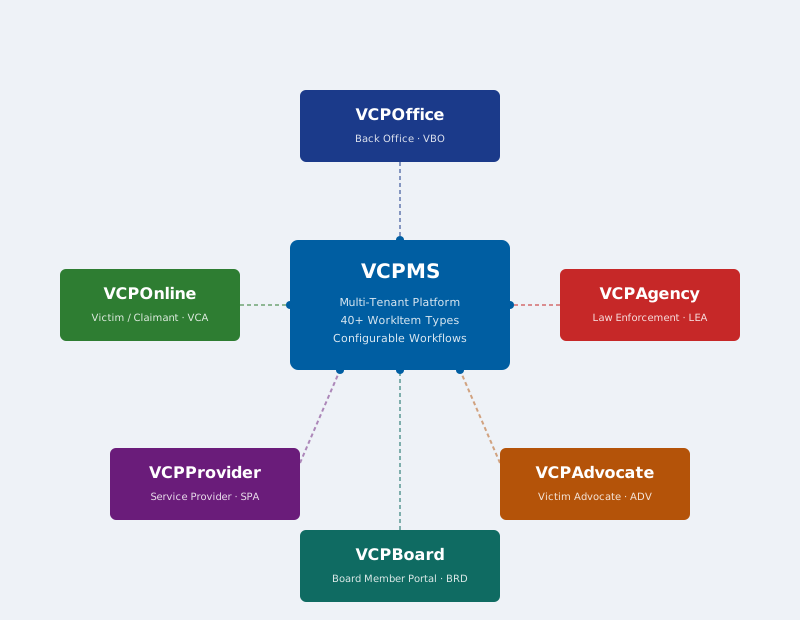
The six portals
Click any card to jump into its overview or read the full product guide.
VCPOffice
VBO · Portal
The comprehensive back-office portal for program staff — Claims Analysts, Team Leads, Supervisors, and Administrators. Provides full claims processing, case management, financial management, document management, reporting, and user administration.
VCPOnline
VCA · Portal
The victim-facing portal enabling online application submission, document upload, real-time claim status tracking, two-way secure messaging with staff, and payment information access. Features a guided step-by-step application wizard with mobile-responsive design.
VCPProvider
SPA · Portal
Dedicated portal for service providers — medical, dental, counseling, funeral, and other providers. Enables bill submission, document upload, payment status tracking, remittance detail access, and two-way communication with program staff.
VCPAdvocate
ADV · Portal
Purpose-built for victim advocates to assist claimants. Provides multi-case tracking, real-time claim status reports for court preparation, two-way communication with staff, tracked correspondence review, and survey distribution capabilities.
VCPAgency
LEA · Portal
Secure portal for law enforcement agencies and prosecutors to access claim-related information, submit documentation, track SAKI (Sexual Assault Kit) cases, and communicate with program staff through secure channels.
VCPBoard
BRD · Portal
Read-only portal for determination-board members to review upcoming and historical dockets, drill into configured claim sections for each agenda item, and keep author-only private notes on dockets, claims, and appeals. Field-level redaction and pane visibility are tenant-configurable.
See a live walkthrough of all six portals.
We'll walk you through how VCPMS fits your program.
Schedule a demo