
Behind the platform
State machines, all the way down.
Every work-item type in VCPMS — VcClaim, FrClaim, Payment, Award, 40+ in total — is driven by a state machine configured per tenant. What follows is the canonical lifecycle; your program configures the rules that move claims from one state to the next.
Victim Compensation Claim lifecycle
Draft → Intake → Pending Review → Under Review → Pending Determination → Pending Board Determination → Approved / Denied / Rescinded / Withdrawn.
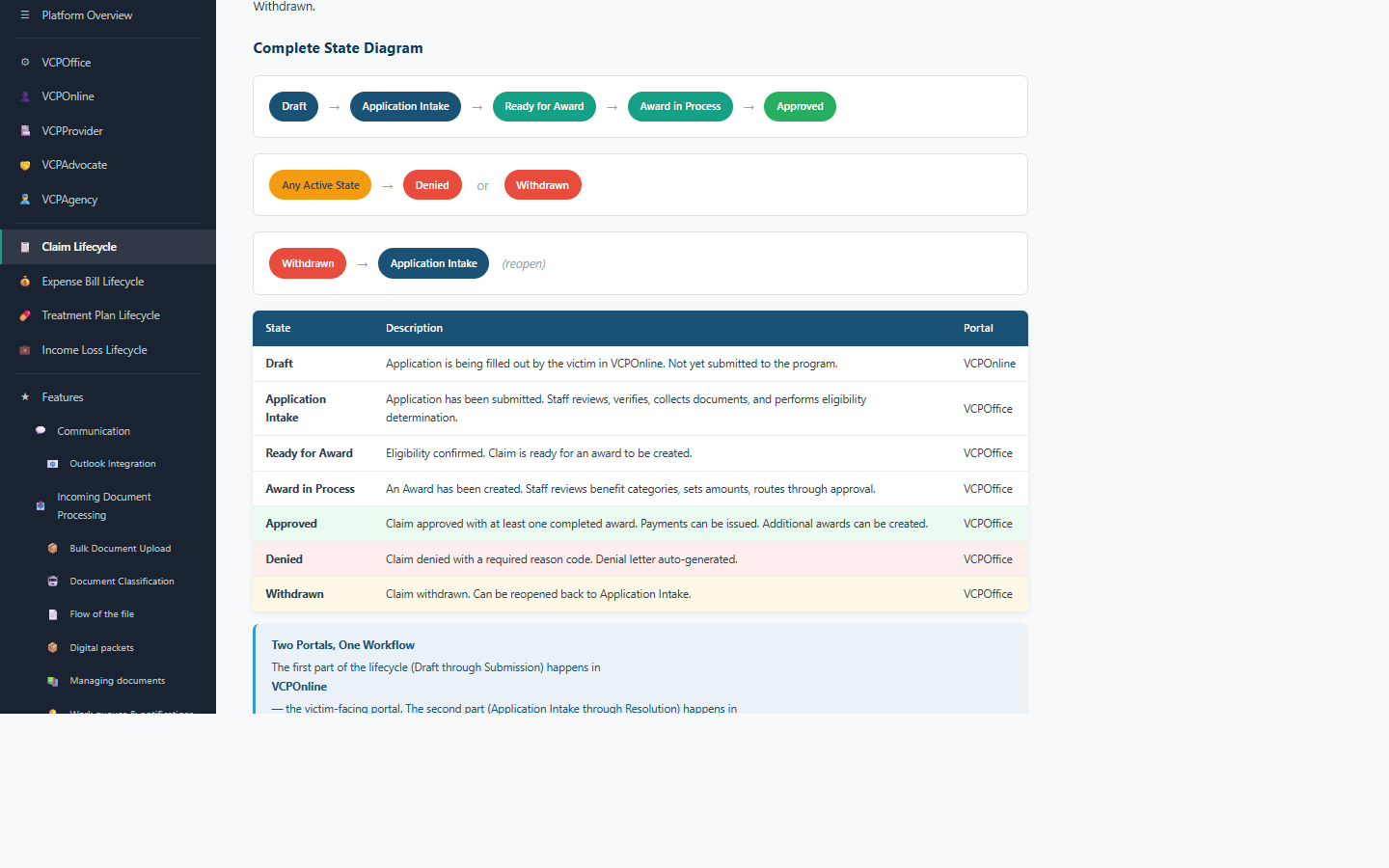
Denials carry a structured, tenant-configurable reason code (Collateral Source, Late Filing, No Jurisdiction, Criminal Conduct, Failure to Report, Not Crime Related, Duplicate, Two-Year Filing Deadline) and feed the formal appeal track.
Expense Bill lifecycle
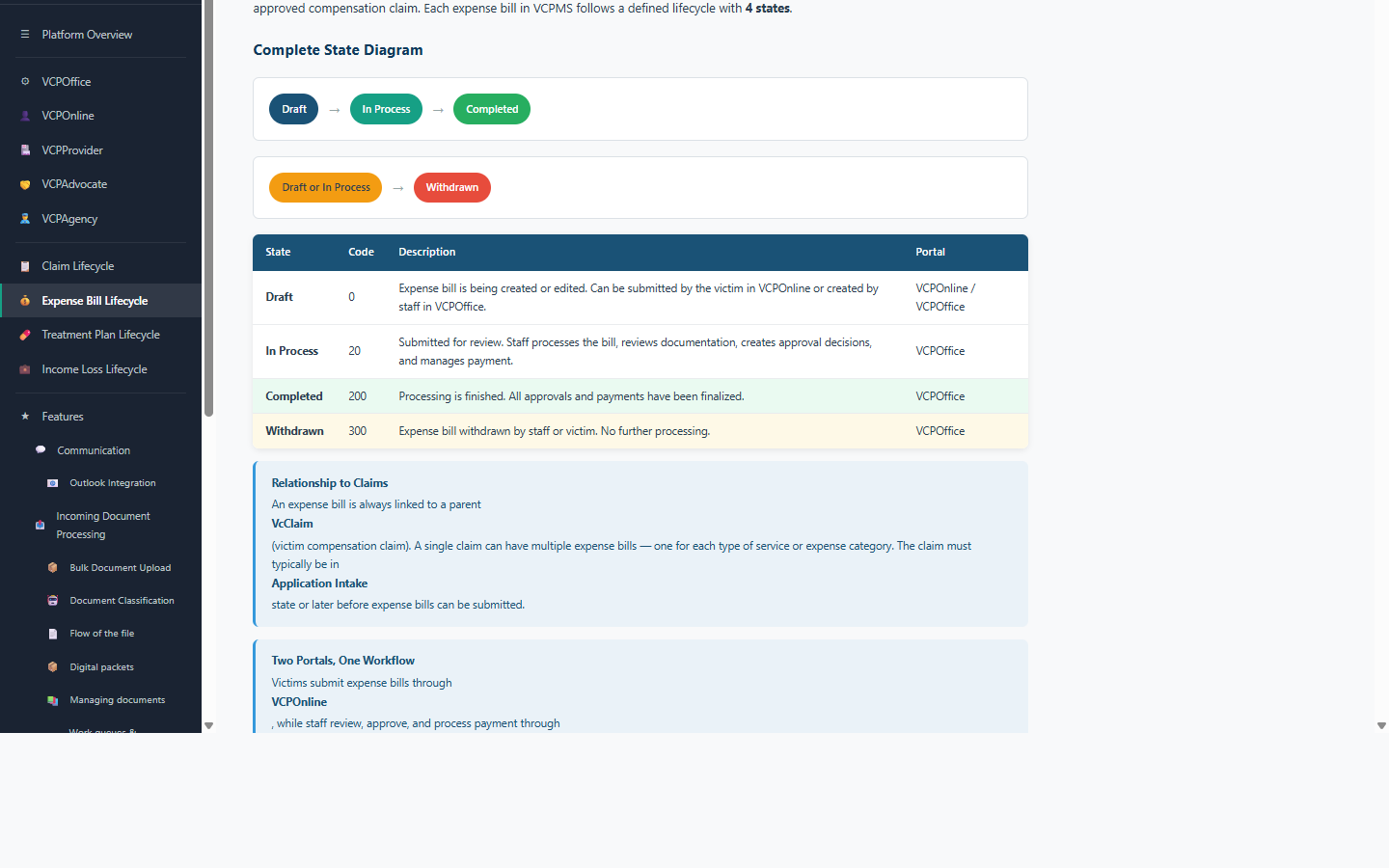
Every expense bill a victim submits is linked to a parent VcClaim and follows its own 4-state lifecycle — Draft, In Process, Completed, or Withdrawn.
Bulk Document Intake pipeline
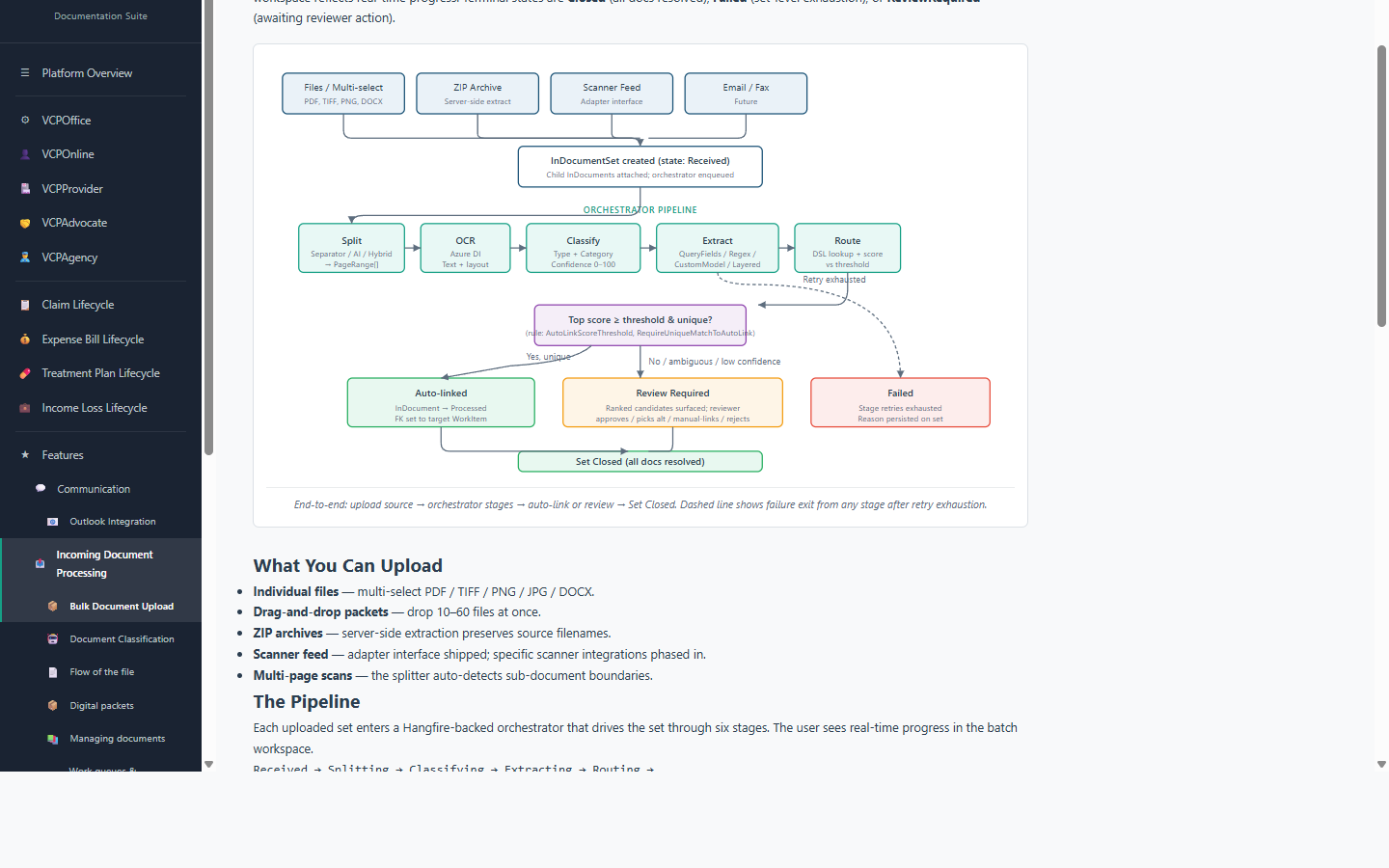
Every uploaded document set runs through an orchestrated pipeline — split, OCR, classify, extract fields, then route to the right claim.
What programs configure
- · Which state transitions are allowed (and under what conditions)
- · Who gets assigned (individual or org unit, round-robin or load-based)
- · What notifications fire (email, SMS, in-app, physical mail)
- · What documents auto-generate on state change (denial letter, award letter, check stub)
- · How ShortName numbers format (VC-2025-0142 vs VC-20250142 vs any pattern)
See your state's workflow configured on VCPMS.
We'll walk you through how VCPMS fits your program.
Schedule a demo