
VCPMS Platform Overview
Victim Compensation Program Management System — A comprehensive, cloud-based SaaS platform purpose-built for state crime victim compensation programs.
Version 15.2 • 2026Table of Contents
- What Is VCPMS
- Multi-Portal Architecture
- Key Capabilities Overview
- Claims Management
- Payment Processing
- Communication & Notifications
- Reporting & Analytics
- Document Management
- Technology & Architecture
- Multi-Tenancy & Configurability
- Training & Support
- Licensing Model
- Deployment History
- Why Choose VCPMS
1. What Is VCPMS
The Victim Compensation Program Management System (VCPMS) is a cloud-based, Software-as-a-Service (SaaS) case management platform specifically designed for state crime victim compensation programs. It delivers end-to-end claims processing, financial management, document management, reporting, and multi-channel communication — all within a secure, modern, and highly configurable environment.
Our Mission
Modern cloud-based systems streamline processes and interfaces, improving cost-effectiveness for the state while delivering a user-friendly experience that "meets victims where they are." VCPMS offers a comprehensive and secure claims management system that complies with all applicable confidentiality and privacy requirements. The system is designed to make victim compensation services more timely, cost-efficient, and compassionate.
The Problem We Solve
Many state victim compensation programs still rely on decades-old systems — some built on Microsoft Access databases dating back 35+ years. These legacy systems create bottlenecks in claims processing, limit accessibility for victims, lack modern security protections, and cannot produce the federal reporting required by VOCA performance measures. VCPMS replaces these outdated systems with a unified, modern platform that serves every stakeholder in the compensation ecosystem.
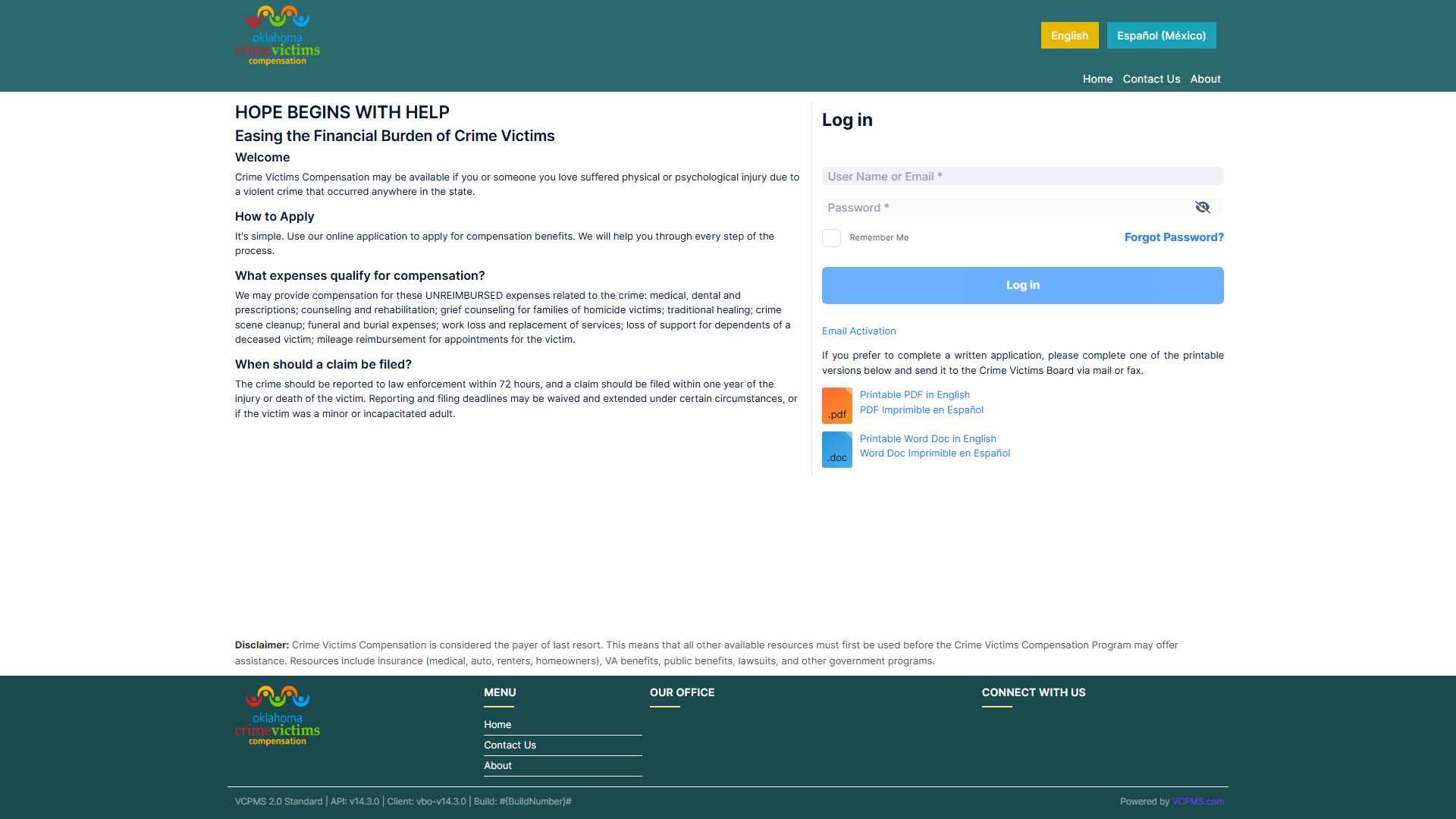
VCPMS login portal showing the professional, accessible landing page
2. Multi-Portal Architecture
VCPMS consists of multiple integrated portals, each purpose-built for a specific audience. All portals operate on a single unified database, ensuring data consistency and centralized management while presenting tailored interfaces for each user type.
VCPOffice
The comprehensive back-office portal for program staff — Claims Analysts, Team Leads, Supervisors, and Administrators. Provides full claims processing, case management, financial management, document management, reporting, and user administration.
View VCPOffice Guide →VCPOnline
The victim-facing portal enabling online application submission, document upload, real-time claim status tracking, two-way secure messaging with staff, and payment information access. Features a guided step-by-step application wizard with mobile-responsive design.
View VCPOnline Guide →VCPProvider
Dedicated portal for service providers — medical, dental, counseling, funeral, and other providers. Enables bill submission, document upload, payment status tracking, remittance detail access, and two-way communication with program staff.
View VCPProvider Guide →VCPAdvocate
Purpose-built for victim advocates to assist claimants. Provides multi-case tracking, real-time claim status reports for court preparation, two-way communication with staff, tracked correspondence review, and survey distribution capabilities.
View VCPAdvocate Guide →VCPAgency
Secure portal for law enforcement agencies and prosecutors to access claim-related information, submit documentation, track SAKI (Sexual Assault Kit) cases, and communicate with program staff through secure channels.
View VCPAgency Guide →VCPBoard
Read-only portal for determination-board members to review upcoming and historical dockets, drill into configured claim sections for each agenda item, and keep author-only private notes. Field-level redaction and pane visibility are tenant-configurable.
View VCPBoard Guide →VCPConnect API
Integration layer enabling external systems to connect with VCPMS. Supports data exchange with state financial systems, identity providers, and third-party applications through a secure RESTful API architecture.
View VCPConnect Guide →VCPLaw
Specialized law enforcement portal providing secure, role-based access to claim-related information. Designed for agencies that need to review case details, submit required documentation, and coordinate with compensation program staff.
Configurable per stateEmergency Application Portal
Rapid-deployment portal activated during mass casualty events or crisis situations. Provides a simplified application form for immediate claim submission, streamlined intake workflows, and expedited processing paths for affected victims.
Activated on demand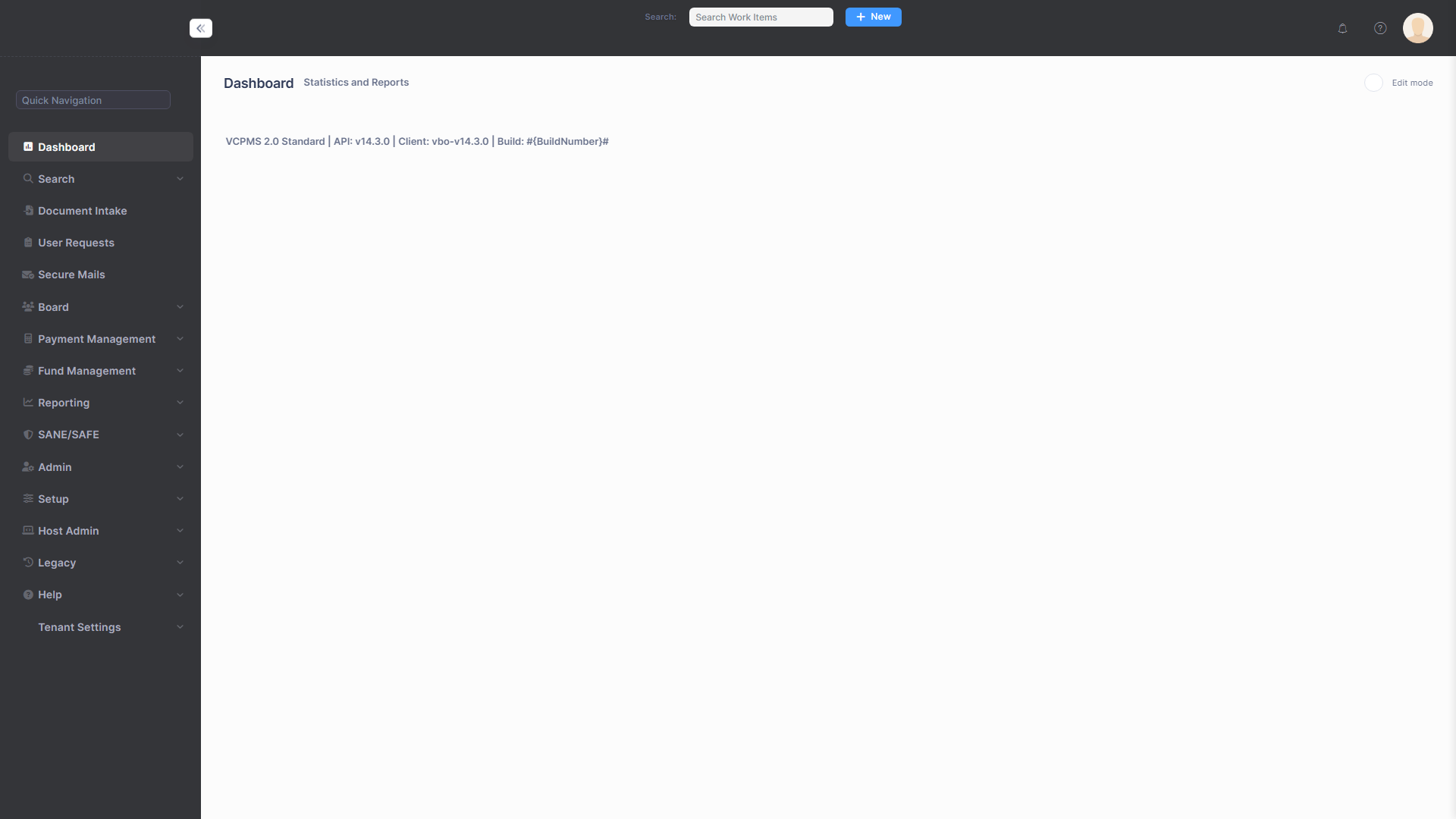
VCPMS dashboard providing centralized access to all portals and features
3. Key Capabilities Overview
VCPMS delivers a comprehensive suite of capabilities covering every aspect of victim compensation program management. Each capability is deeply integrated, enabling seamless workflows across the entire claims lifecycle.
Claims Management & Workflow
End-to-end claim lifecycle management from application intake through payment and closure. Configurable workflow stages, automatic task routing, multi-level approval chains, duplicate detection, and co-claim linking.
Payment Processing & Finance
Full financial management with payment batch processing, multi-fund source tracking, check printing or export to external financial systems, payment voiding and reissue, encumbrance tracking, and real-time fund balance management.
Communication & Notifications
Two-way secure messaging (SecMail / vPostalBox), template-based correspondence, batch letter generation, and multi-channel notifications via email, SMS, portal messages, and printed letters with configurable preferences.
Reporting & Analytics
30+ pre-defined standard reports, ad-hoc report builder, federal reporting (VOCA PMT, State Certification), real-time dashboard widgets, configurable scheduling, and export to Excel, PDF, CSV, HTML, XML, and PowerPoint.
Document Management
Centralized document repository with metadata tagging, intake queue with auto-import, PDF preview/split/merge, document categorization and assignment, cross-claim sharing via reference links, and full audit trail.
Board Management
Board meeting agenda creation, electronic board packet generation, private member notes, decision entry (approve, deny, table), batch decision updates, meeting archives, and post-decision automated letter generation.
Security & Compliance
HIPAA, FIPS, and CJIS compliant. AES-256 encryption, mandatory MFA, granular RBAC, OWASP-compliant code analysis, regular penetration testing, and WCAG 2.1 Level AA accessibility. ISO 27001 certification in progress.
Configuration & Administration
No-code administration for workflows, forms, eligibility rules, benefit categories, letter templates, user roles, dashboard widgets, notification preferences, branding, help text, and FAQs. Configurable per jurisdiction.
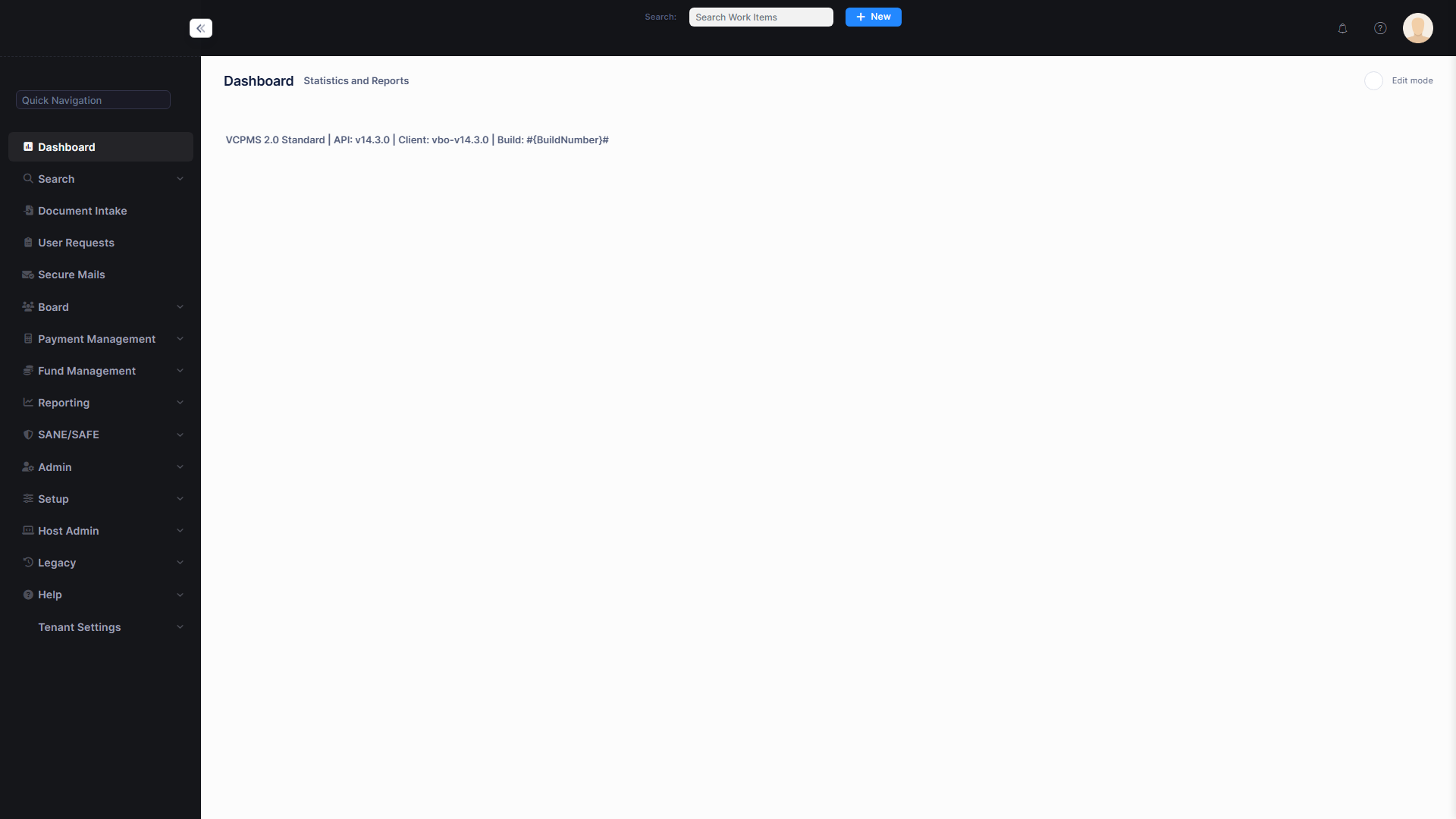
VCPOffice main dashboard with real-time metrics, task queue, and navigation to all major features
4. Claims Management Overview
At its core, VCPMS provides a powerful and flexible claims management engine that supports the full lifecycle of victim compensation claims — from the moment a victim submits an application through eligibility determination, award processing, and final resolution. The system enforces configurable business rules at every stage while providing program staff with the tools they need to process claims efficiently and compassionately.
Claim States
Every victim compensation claim moves through a defined set of states. Each state represents a processing stage with specific rules governing who can act, what validations apply, and what transitions are permitted.
| State | Description | Who Acts |
|---|---|---|
| Draft | Application is being filled out. Not yet submitted to the program. | Victim/Claimant (VCPOnline) or Staff (VCPOffice) |
| Intake | Application has been submitted and received. Staff verifies information and collects documents. | Claims Analyst (VCPOffice) |
| Pending Review | Intake complete; claim is queued for analyst review of eligibility and benefits. | Claims Analyst (VCPOffice) |
| Under Review | Analyst is actively reviewing the claim — eligibility criteria, supporting documentation, AI-assisted flags. | Claims Analyst (VCPOffice) |
| Pending Determination | Review complete; claim is awaiting examiner or supervisor determination. | Supervisor / Examiner (VCPOffice) |
| Pending Board Determination | Claim is scheduled on a Determination Docket and awaiting board vote (when board review is required). | Board (VCPOffice) |
| Approved | Claim has been approved with at least one completed award. Payments can be issued. Additional awards can be created for ongoing benefits. | Terminal — archivable |
| Denied | Claim has been denied. A denial reason is required (e.g., Ineligible Claimant, Late Filing, No Compensable Crime, Failure to Cooperate). | Terminal — archivable |
| Rescinded | A prior approval or denial has been rescinded (e.g., newly discovered information, fraud finding). Claim re-enters review. | Terminal — re-openable |
| Withdrawn | Claim has been withdrawn by the claimant or by staff. Can be reopened back to Intake if circumstances change. | Terminal — reopenable |
Primary Workflow: Application to Resolution
The primary (happy path) flow for a victim compensation claim:
Board Determination is skipped when the program's configuration routes the claim to an examiner or supervisor for final determination instead of the board.
Claims can also reach terminal states at multiple points:
Phase 1: Application Submission
Claims enter the system through multiple intake channels. Regardless of how the application is submitted, every claim follows the same configurable workflow from submission to resolution.
VCPOnline (Victim Portal)
Victims or claimants complete a guided step-by-step wizard with 14 steps: Start Application, Victim Info, Additional Victims, Claimant Info, Crime Details, Offenders, Insurance, Civil Suits, Expenses, Employer Info, Demographics & Referral, Document Attachments, Summary, and Signature/Submission. Applications can be saved and resumed at any point.
VCPOffice (Staff Entry)
Staff can create claims directly in VCPOffice for paper applications received by mail, fax, or walk-in. The same data fields are available through the claim management interface with 14 edit tabs covering all aspects of the claim.
VCPAdvocate (Advocate-Assisted)
Victim advocates can assist claimants by submitting applications and uploading supporting documents on their behalf through the VCPAdvocate portal.
Emergency Portal
During mass casualty events, a rapid-deployment portal provides simplified application forms for immediate claim submission with expedited intake processing.
Upon submission, the system automatically:
- Generates a unique claim number (e.g., 25-0001) using configurable formats with optional yearly reset
- Transitions the claim from Draft to Intake
- Records the submission date and time
- Runs duplicate detection using configurable fuzzy matching rules (victim name, SSN, crime date, date of birth)
- Assigns the claim to a staff member based on configurable assignment rules (workload, specialty, jurisdiction)
- Sends automated notifications to the assigned analyst and the applicant
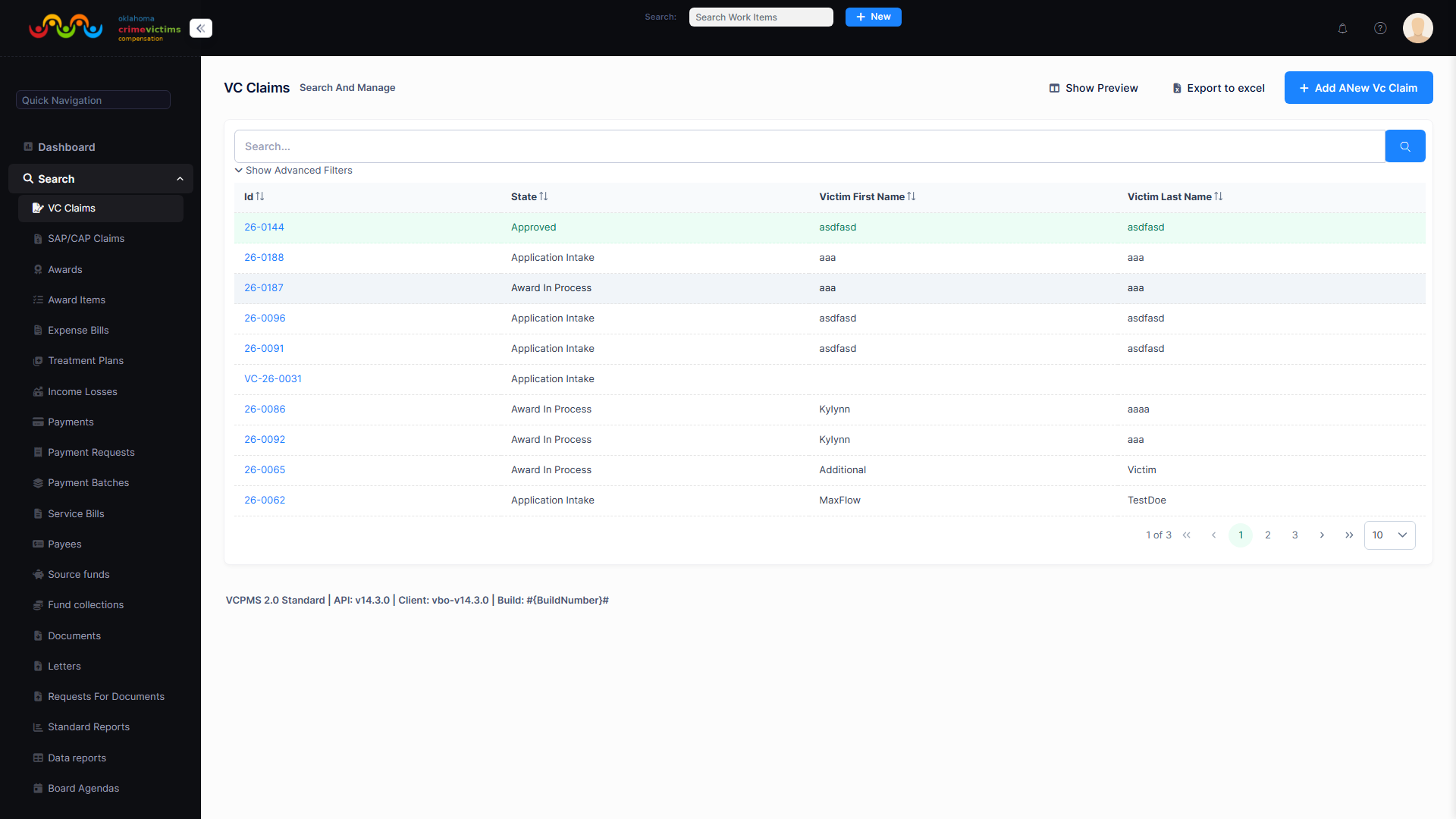
Claims search view displaying submitted applications with status tracking and filter options
Phase 2: Intake & Eligibility Determination
During the Intake and Review phases, the assigned Claims Analyst reviews and verifies all claim data across 14 tabbed sections in VCPOffice:
| Tab | Data Reviewed |
|---|---|
| Victim | Name, date of birth, gender, race, SSN, contact information, residential and mailing addresses |
| Claimant | Claimant details (may differ from victim), relationship to victim, contact information |
| Crime | Date of crime, location, county, type of crime, police report number, law enforcement agency (primary victims only) |
| Offenders | Offender names, relationship to victim, prosecution status, restitution information (primary victims only) |
| Insurance | Health insurance, auto insurance, workers' compensation, and other collateral source coverage |
| Civil Suit | Civil litigation status, attorney information, settlement details |
| Expense Bills | Medical bills, counseling expenses, funeral costs, and other expense reimbursement requests |
| Treatment Plans | Ongoing treatment authorization requests with provider details and projected costs |
| Income Loss | Lost wages documentation, employer verification, disability status |
| Awards | Award history and pending awards for this claim |
| Payees | Payment recipients (victim, providers, attorneys) |
| Related Claims | Linked companion claims and secondary victim claims for the same crime |
| Contacts | Additional contacts associated with the claim (family members, case workers) |
| Advocate | Assigned victim advocate and advocate organization information |
The analyst also completes the Eligibility Determination (ED) — a structured set of criteria that must be evaluated before the claim can proceed:
| Eligibility Question | Possible Answers |
|---|---|
| Did the crime occur in the state? | Yes / No / Waived |
| Did the victim sustain a direct injury? | Yes / No / Waived |
| Was contributory or illegal behavior considered? | Yes / No / Waived |
| Did the victim/claimant cooperate with law enforcement? | Yes / No / Waived |
| Was the crime reported within 48 hours? | Yes / No / Waived |
| Was the claim filed within 180 days? | Yes / No / Waived |
| Was the claim filed within 4 years of the incident? | Yes / No / Waived |
When the eligibility determination is complete and the claim is verified, the analyst transitions the claim toward determination (Pending Determination or Pending Board Determination, depending on program configuration). The system validates that required fields (victim name, claimant name) are populated before allowing the transition.
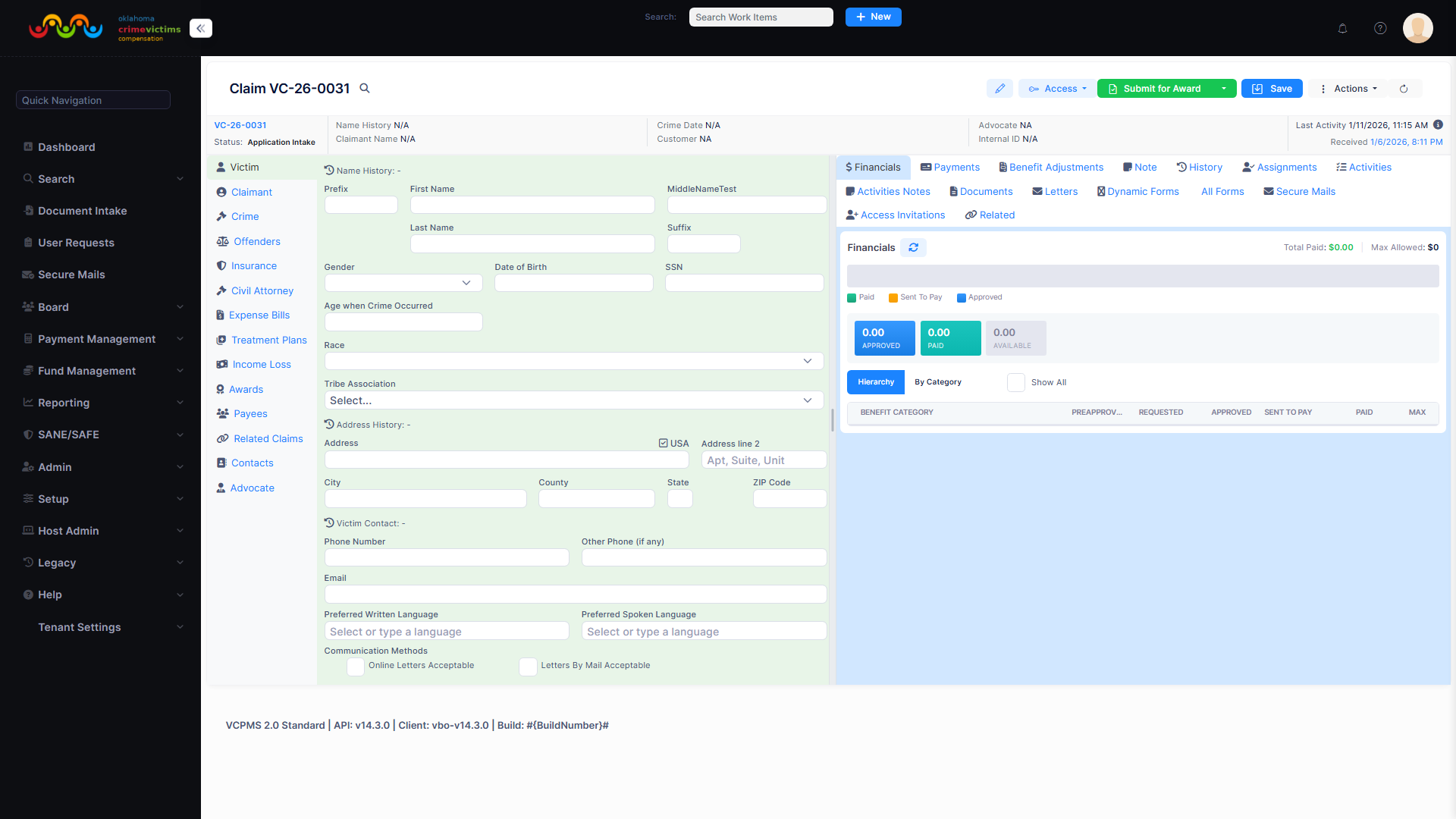
VCPOffice claim detail view with claim header, status indicator, assigned analyst, and tabbed data sections
Phase 3: Award Processing
When a claim reaches a determination-ready state (Pending Determination or Pending Board Determination), the examiner or board records the decision. Approval creates an immutable Award record capturing the full case snapshot at decision time. For board-reviewed claims the workflow runs through a DeterminationDocket (agenda), which has its own states: Draft → WaitingForDecision → RecordingDecision → Completed (with a Voided branch when a docket is withdrawn).
During award processing, the analyst:
- Adds Award Items — individual benefit line items specifying the benefit category (medical, dental, counseling, funeral, lost wages, relocation, etc.) and approved dollar amounts
- Reviews expense bills, treatment plans, and income loss documentation to determine appropriate amounts
- Submits the award for supervisory review or Board decision (configurable per state program)
- The Board or supervisor reviews and approves, modifies, or denies the award
When the award is completed, the claim automatically transitions to its final state:
- Approved — if the award grants benefits to the victim
- Denied — if the award determination results in denial (with a required reason code)
Phase 4: Resolution — Approved, Denied, or Withdrawn
Approved
The claim has been approved with at least one completed award. Payments are issued through the payment processing workflow. The claim remains accessible for subsequent awards, financial tracking, and reporting. Approved claims can be archived when all activity is complete.
Denied
The claim has been denied. A specific denial reason is required and must be selected from configurable options such as: Ineligible Claimant, Late Filing, No Compensable Crime, Failure to Cooperate, Failure to Report, Criminal Conduct, No Jurisdiction, Collateral Source, or Not Crime Related. Denial letters are auto-generated.
Withdrawn
The claim has been withdrawn by the claimant or by staff. Unlike Denied, a withdrawal reason is optional. Withdrawn claims can be reopened — transitioning back to Intake for continued processing if circumstances change.
Key Claims Features
- Duplicate Detection: Configurable fuzzy matching rules on victim name, SSN, crime date, and date of birth with adjustable score thresholds. Potential duplicates are flagged at submission and can be acknowledged or linked as related claims.
- Primary & Secondary Victims: Support for companion claims where secondary victims (family members, dependents) link to a primary victim's claim. Secondary claims share crime information while maintaining independent award and payment tracking.
- Co-Claim Management: Link and cross-reference claims for related victims of the same crime event with shared crime details and offender information.
- Configurable Eligibility: State-specific eligibility criteria with waiver support, configurable filing deadlines, and jurisdictional rules.
- Automatic Task Assignment: Rules-based routing assigns claims to analysts based on workload, specialty, jurisdiction, or organizational unit.
- Sub-State Tracking: Fine-grained sub-states (Received, Intake, Eligibility Determination, Eligibility Approval, Awarded, Denied, Appeal, Rescind, Withdrawn) provide additional workflow granularity within each primary state.
- Full Audit Trail: Every change to a claim — state transitions, data edits, document uploads, assignments, and access events — is recorded with who, what, when, and why for complete accountability.
- Decision Clock Tracking: The system automatically tracks the decision start date and last decision date, enabling performance reporting on processing time from submission to resolution.
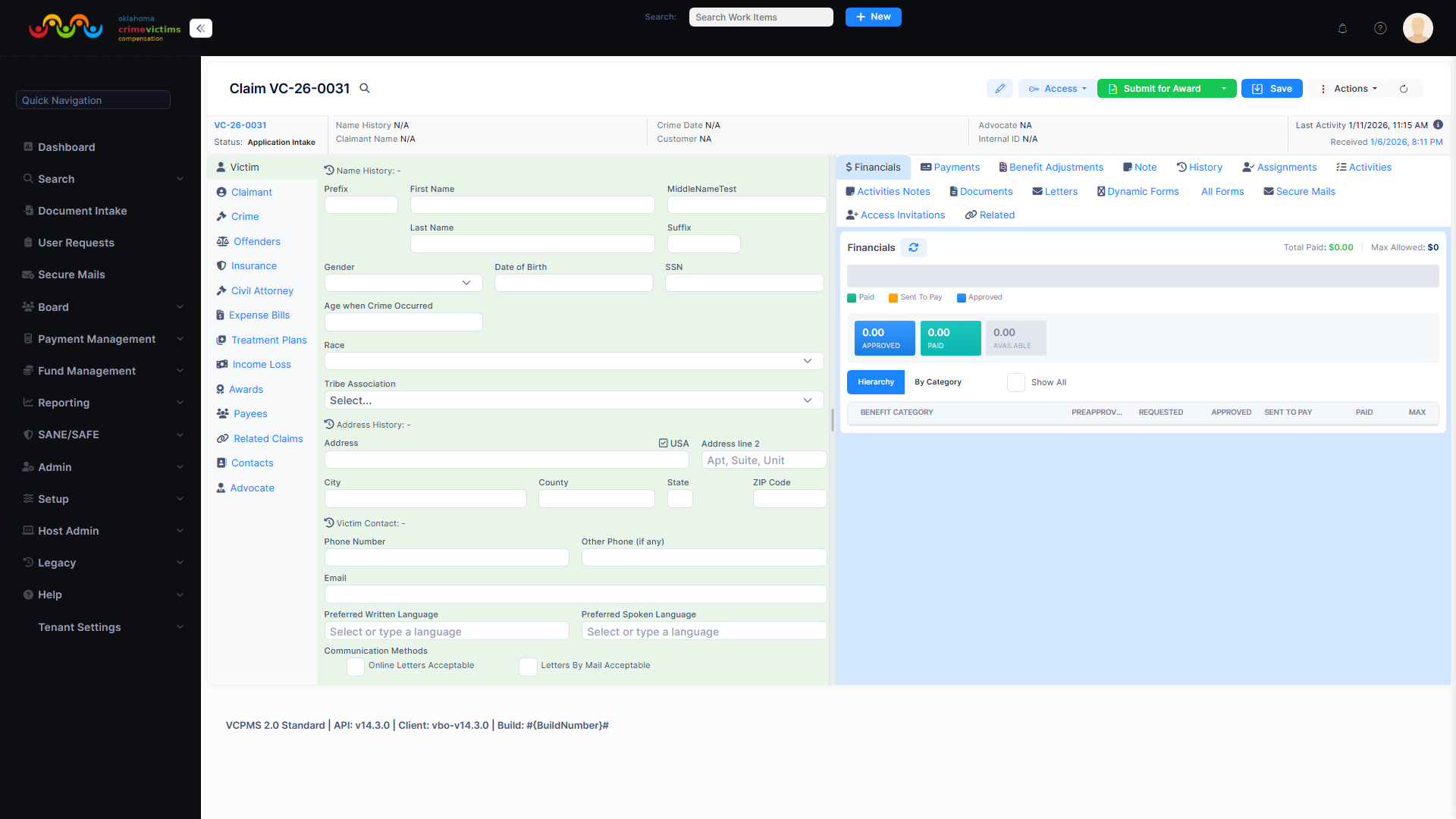
Claim Victim tab showing victim personal information, contact details, and addresses
5. Payment Processing Overview
VCPMS provides robust financial management capabilities that streamline the entire payment lifecycle — from award determination through payment issuance, reconciliation, and reporting. The payment system is tightly integrated with claims management, ensuring that every payment is traceable back to an approved claim and a specific benefit category.
Payment Workflow
Financial Capabilities
Multi-Fund Source Management
Track and manage multiple funding sources with real-time balance monitoring. Assign payments to specific funds based on benefit type, fiscal year, or jurisdiction. Fund balance verification prevents over-commitment before batch generation.
Batch Payment Processing
Group payments by configurable criteria for efficient batch processing. Generate batches with automatic validation, approval workflows, and export to external financial systems such as PeopleSoft, SCEIS, and other state accounting platforms.
Remittance & Reconciliation
Automated remittance statement generation for both providers and claimants with full detail including service type, billed amount, payment issued, denial reasons, and check or EFT reference numbers.
Payment Corrections
Complete support for payment voiding, reversal, and reissue workflows. Returned check processing with automated tracking. All corrections maintain full audit trails and automatically update fund balances.
- Encumbrance Tracking: Track committed funds by benefit category before payments are issued
- Check Printing: Direct check printing or export to external financial systems
- Payment Approval Workflows: Configurable approval thresholds and routing rules
- Provider Bill Processing: Integrated bill submission from VCPProvider portal with configurable billing codes
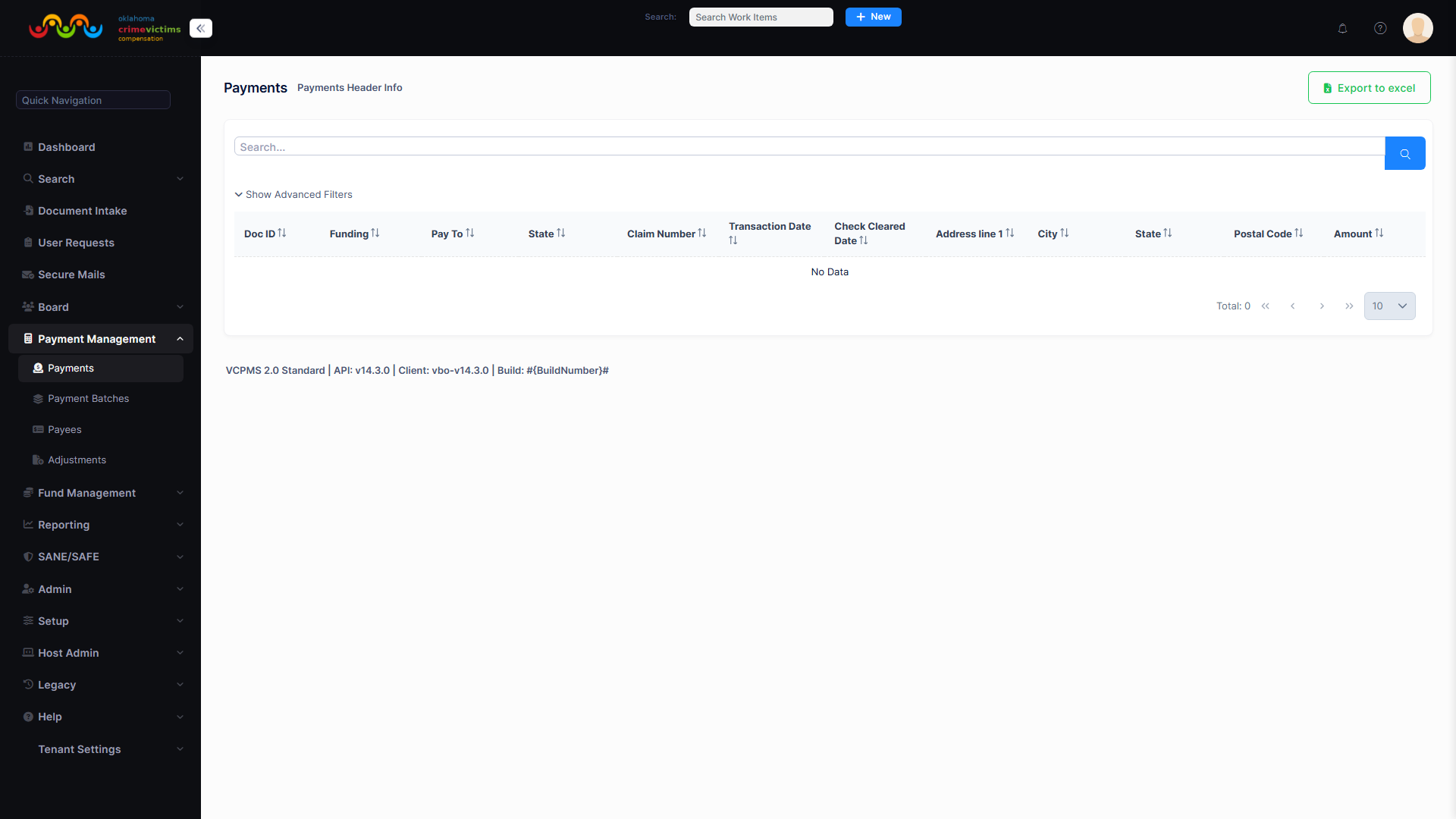
Payment management screen with batch status, total amounts, and payment details
6. Communication & Notifications
VCPMS provides a comprehensive, multi-channel communication platform that keeps all stakeholders informed throughout the claims process. From secure two-way messaging to automated notifications and batch correspondence, the system ensures timely, professional communication while maintaining complete audit trails.
SecMail / vPostalBox
SecMail (also known as vPostalBox, or Virtual Postal Box) is VCPMS's built-in secure messaging system that enables two-way communication between program staff and external users including victims, advocates, service providers, and law enforcement. All messages are encrypted, tracked, and retained within the VCPMS platform — eliminating the security risks of email while providing a familiar communication experience.
Secure Messaging
Two-way encrypted messaging between staff and external users. Messages are linked to specific claims for context, searchable by content, and retained as part of the permanent claim record with full audit trail.
Template-Based Correspondence
Pre-built letter templates for approvals, denials, requests for information, restitution requests, and more. Templates support merge fields for automatic population of claim data, conditional logic, and custom formatting per jurisdiction.
Multi-Channel Notifications
Reach stakeholders through their preferred channel — email, SMS text messages, in-portal alerts, or printed letters. Configurable notification preferences per user with bounce-back email detection and alerting.
Batch Correspondence
Generate batches of letters after board meetings, mass mailings for program updates, or bulk notifications. District-customizable letterhead and signature images ensure professional, jurisdiction-specific branding.
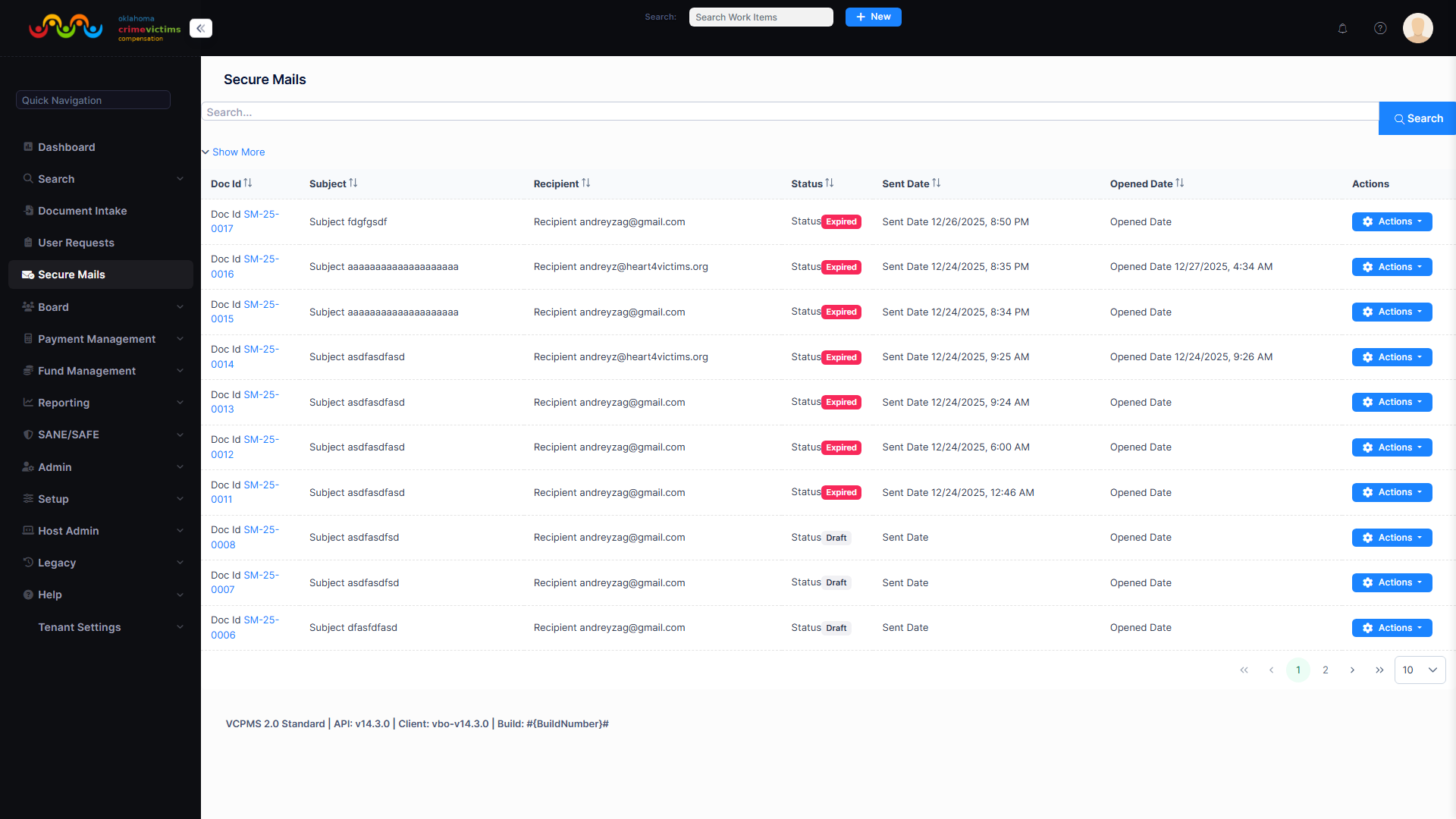
SecMail inbox with threaded conversations, claim references, and message status indicators
Outlook Integration
VCPMS optionally integrates with Microsoft Outlook via the Microsoft Graph API to extend communication and scheduling capabilities. Outlook is a convenience layer — all features work fully without it.
Graph API Email Delivery
When enabled, notification emails are sent via Microsoft Graph API from the agency's shared mailbox instead of SMTP. If Graph fails, the system automatically falls back to SMTP — no emails are lost.
Calendar Sync
Hearing dates, deadlines, and payment due dates are optionally pushed to staff Outlook calendars as one-way events. VCPMS remains the source of truth — events include deep links back to the claim and update automatically.
Actionable Messages
Notification emails can embed Approve/Reject buttons directly in Outlook via Adaptive Cards. Staff can take workflow actions without leaving their inbox. The same actions remain available in the VBO web interface.
Reply Tracking
When email is sent via Graph, replies are correlated back to the original SecMail conversation using Graph conversation IDs. Reply activity is logged on the work item for a complete communication record.
Two integration modes support different user types:
- Organization Mode — Configured once per tenant by the admin. Uses app-only authentication with a certificate. System notifications sent from a shared mailbox, calendar events pushed to any staff calendar. Available to VBO staff.
- Personal Mode — Each user individually connects their Microsoft 365 account via OAuth consent. Emails sent from the user's own mailbox, calendar events in their personal calendar. Available to VBO staff, Advocates, and Service Providers.
Configuration is managed through Administration → Outlook Integration in VBO. The feature must first be enabled by the host administrator via the App.Extensions.OutlookIntegration feature flag. See the Admin Guide for setup instructions.
7. Reporting & Analytics
VCPMS delivers powerful reporting and analytics capabilities that transform program data into actionable insights. From federally mandated performance reports to real-time operational dashboards, the system provides the visibility program leadership needs to manage effectively and demonstrate results.
Reporting Capabilities
30+ Standard Reports
Pre-built reports covering claims processing metrics, payment summaries, fund balances, user productivity, processing time analytics, and program-wide performance indicators. Ready to use from day one.
Ad-Hoc Report Builder
Flexible query builder making all data fields available for custom report creation. Staff can build, save, and share custom reports without IT involvement. Supports complex filtering, grouping, and aggregation.
Federal Reporting
One-click generation of VOCA Performance Measures Tool (PMT) submissions, State Certification Forms, and other federally required reports. Replaces days of manual spreadsheet compilation with automated, validated output.
Dashboards & Widgets
Real-time dashboard widgets displaying key metrics per user role. Configurable layout with drill-down capability. Track claims pipeline, payment processing status, staff workload, and SLA compliance at a glance.
Export & Distribution
- Export Formats: Excel, PDF, CSV, HTML, XML, and PowerPoint
- Scheduled Reports: Configure automated report generation and distribution on daily, weekly, monthly, or custom schedules
- Statewide Rollup: Aggregate data across all jurisdictions for states with decentralized programs
- Blank Field Reporting: Identify missing data fields for federal compliance before submission deadlines
- Processing Time Tracking: Measure time from claim receipt to payment issuance with breakdown by processing stage
- User Productivity Metrics: Track analyst workload, processing times, and throughput
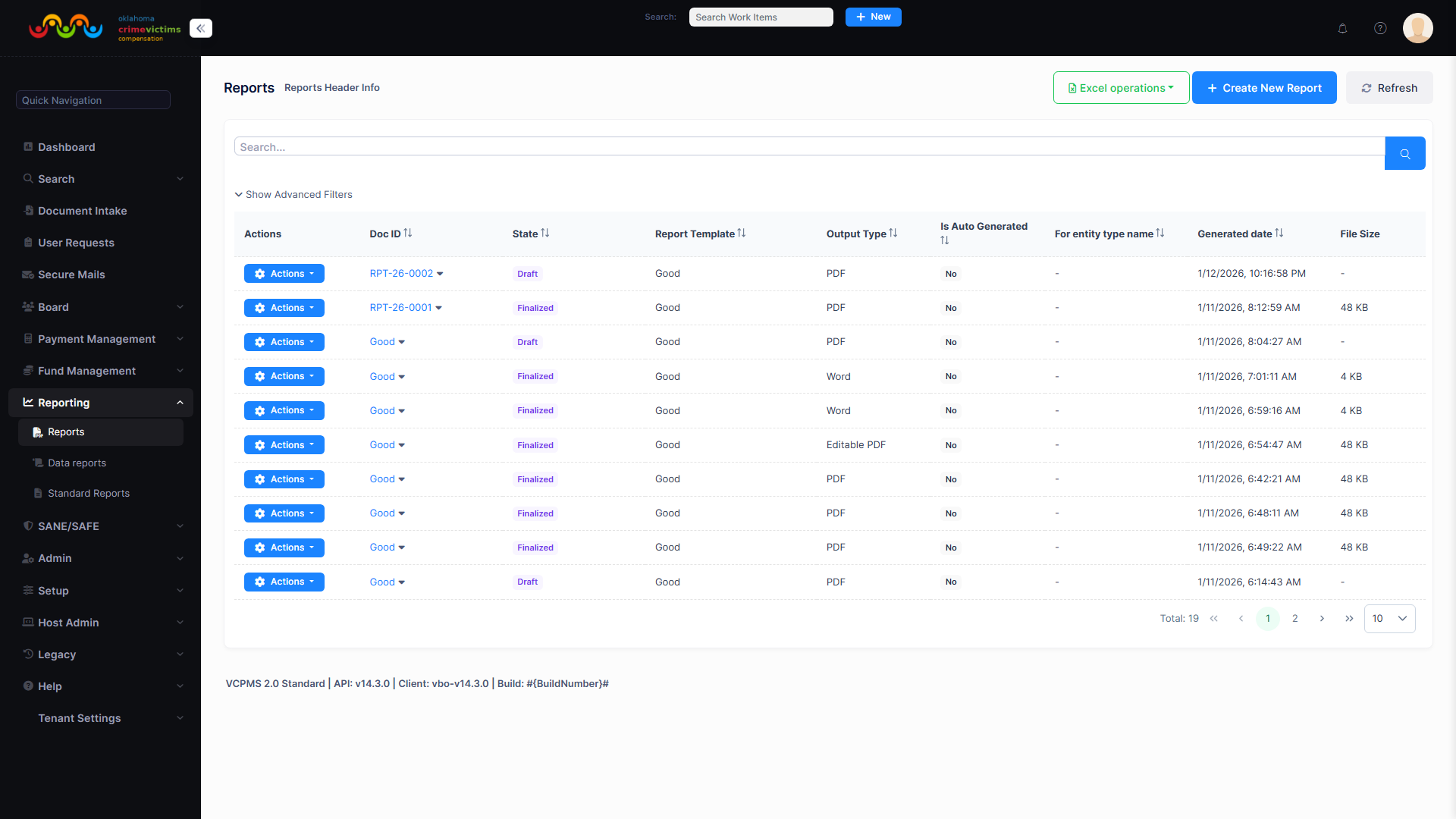
Reporting dashboard with available reports, chart widgets, and quick-access report links
8. Document Management
VCPMS provides a comprehensive digital document management system that centralizes all claim-related documents, eliminates paper-based processes, and ensures that every document is properly tracked, categorized, and instantly accessible to authorized users.
Centralized Repository
All documents stored in a secure, centralized repository with rich metadata tagging. Full-text search across documents, notes, and claims data. Version history tracking for all document changes.
Multi-Channel Intake
Documents enter the system through multiple channels: direct upload via any portal, scanned document import, auto-import watcher process for network folder monitoring, and email attachment extraction.
PDF Processing
Built-in PDF preview, split, and merge capabilities. Split multi-page documents into individual claim documents. Merge related documents into comprehensive case files for board review or correspondence.
Cross-Claim Sharing
Share documents across related claims using reference links rather than duplication. A single document can be associated with multiple claims while maintaining a single source of truth. Document access controlled by role-based permissions.
Document Workflow
- Unicode Support: Full international character support for documents containing non-English text
- Audit Trail: Complete tracking of who uploaded, viewed, modified, or shared every document
- Mobile Upload: Photo capture directly from mobile devices through the VCPOnline portal
- Outgoing Documents: System-generated letters, notices, and reports automatically stored in the claim record
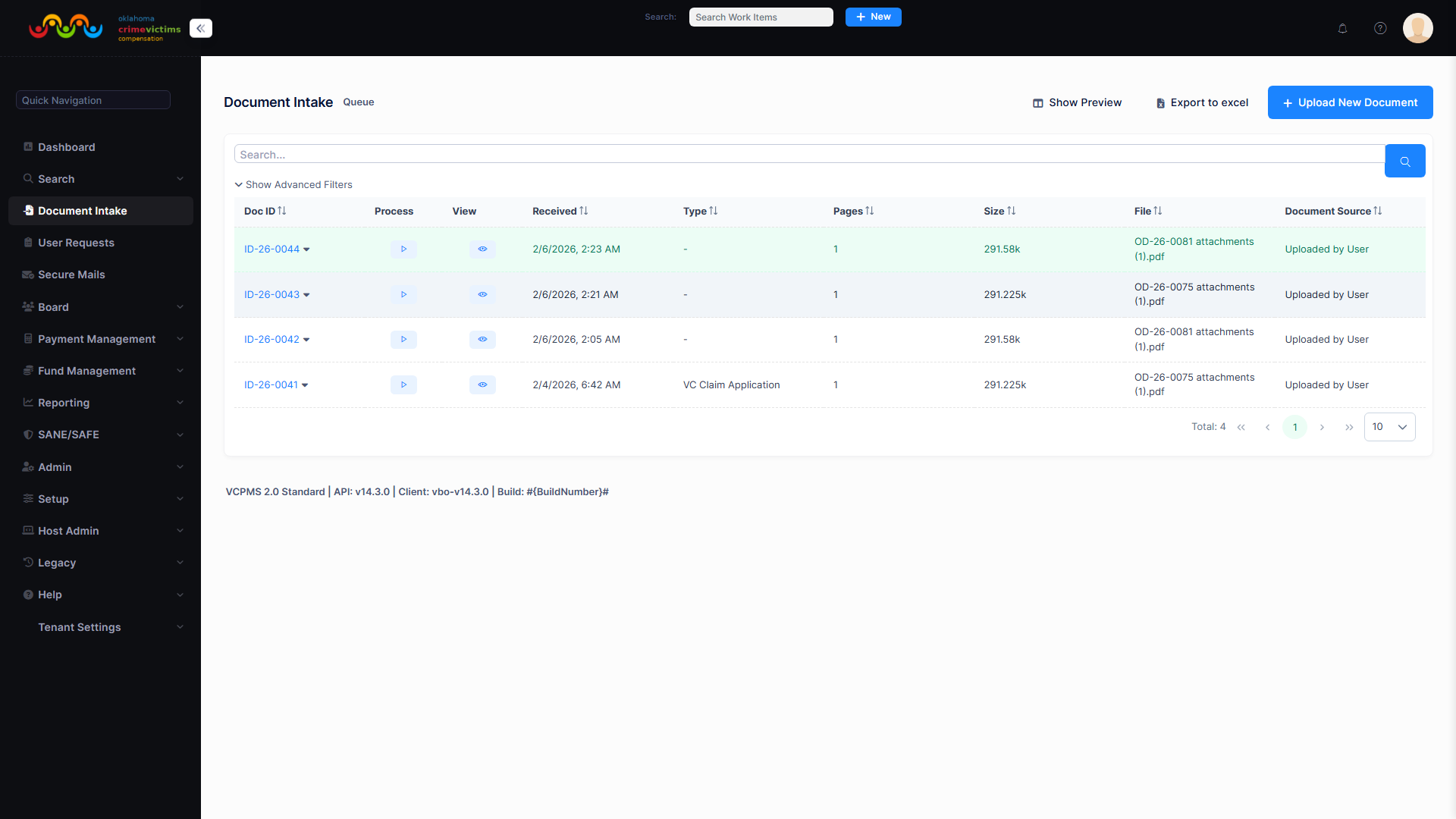
Document intake queue with uploaded documents awaiting categorization and claim assignment
9. Technology & Architecture
VCPMS is built on a modern, enterprise-grade technology stack hosted entirely on Microsoft Azure. The platform is designed for security, performance, and scalability — capable of handling the largest state programs in the nation while providing 99.9% uptime reliability.
Cloud Infrastructure
| Component | Technology |
|---|---|
| Cloud Provider | Microsoft Azure (dedicated resources per customer) |
| Architecture | Cloud-native, multi-tier web application |
| Hosting Model | Fully managed SaaS — hosted and operated by ASDCom, Inc. |
| Environments | Development, Testing/QA, Staging, and Production per tenant |
| Infrastructure | Infrastructure as Code (Bicep modules) for automated provisioning |
Technology Stack
Backend
.NET with C# server-side logic, ASP.NET Core, and RESTful API architecture. Domain-driven design with comprehensive business rule enforcement and multi-tenant data isolation.
Frontend
Angular framework with standalone components and NX monorepo tooling. Mobile-responsive design ensuring full functionality across desktop, laptop, tablet, and smartphone devices.
Database & Storage
Azure SQL Database with geo-replication and automatic backups. Azure Blob Storage for documents. Azure Key Vault for encryption keys and certificates.
Monitoring & Operations
Azure Monitor and Application Insights for performance monitoring. Azure DevOps Pipelines for CI/CD. Azure Functions for event-driven notification and file processing.
Security Measures
- Encryption: AES-256 at rest, TLS in transit for all data
- Authentication: Multi-factor authentication (MFA) mandatory for all users; supports integration with state identity providers
- Authorization: Role-based access control (RBAC) at system, page, field, and document level
- Network Security: Per-customer firewalls, intrusion detection/prevention, DDoS protection
- Code Security: OWASP standards compliance, static and dynamic code analysis (SonarQube, Fortify SAST)
- Penetration Testing: Regular third-party security assessments
- Password Policy: Minimum 12 characters with complexity requirements; 90-day rotation; no reuse of last 4-5 passwords
- Session Management: Token validity maximum of 24 hours with configurable session timeout
Compliance
| Standard | Status | Description |
|---|---|---|
| HIPAA | Compliant | Health information protection for medical records and treatment data |
| FIPS | Compliant | Federal information processing standards for encryption and data handling |
| CJIS | Compliant | Criminal Justice Information Services security policy for law enforcement data |
| WCAG 2.1 AA | Compliant | Web content accessibility guidelines for users with disabilities |
| ADA | Compliant | Americans with Disabilities Act requirements for digital accessibility |
| FedRAMP | Available | Federal Risk and Authorization Management Program certified cloud (when required) |
| ISO 27001 | In Progress | Pursuing ISO 27001 information security management certification |
Performance & Availability
- Elastic Scalability: Azure-native scaling handles growth from small programs to California-scale volumes — the largest in the nation
- Blue/Green Deployment: Slot-swap deployment with automated smoke tests post-deployment and instant rollback on failure
- Feature Flags: Toggle-based feature activation allowing jurisdiction-level control of feature rollout
VCPMS platform overview demonstrating the multi-tier application architecture
Development Practices
- Methodology: Agile with Product Owner, Scrum Master, and Development Team
- Version Control: Git with GitFlow branching (main, develop, feature, release, hotfix)
- Code Review: Pull requests require two approvers and successful CI pipeline runs
- Testing: Unit tests (90%+ coverage), integration tests, end-to-end tests, and performance testing
- Release Cadence: Quarterly major releases (March, June, September, December) with monthly security patches
10. Multi-Tenancy & Configurability
VCPMS is architected from the ground up as a multi-tenant platform, meaning a single codebase serves multiple state programs while maintaining complete data isolation and allowing deep per-tenant and per-jurisdiction configuration. This architecture ensures that every state program benefits from platform-wide improvements while maintaining the flexibility to operate according to their specific policies and procedures.
Tenant Architecture
Jurisdiction-Level Configuration
For states with decentralized programs — such as Colorado's 23 Judicial Districts — VCPMS provides jurisdiction-level segmentation within each tenant. Each jurisdiction operates with its own logically segmented environment, enabling:
- Operational Autonomy: Local administrators maintain control over their jurisdiction's configuration
- Custom Workflows: Jurisdiction-specific claim processing stages, approval chains, and routing rules
- Custom Forms & Templates: Jurisdiction-specific application forms, letter templates, and denial codes
- Feature Flags: Each jurisdiction can adopt new features on their own schedule
- Data Compartmentalization: No cross-jurisdiction visibility except for State Administrator read-only access for oversight and reporting
- Statewide Rollup Reporting: Aggregate data across all jurisdictions for state-level and federal reporting
Configurable Options
VCPMS supports an extensive range of no-code configuration options, allowing program administrators to tailor the system without any developer involvement:
Workflows & Business Rules
Claim processing stages, approval chains, routing rules, state transitions, eligibility criteria with waiver options, and automatic task assignment rules — all configurable per jurisdiction.
Forms & Data Fields
Application fields, dynamic form logic, required/optional field settings, custom data fields (text, date, dropdown, checkbox), denial reasons, crime categories, and benefit types.
Templates & Branding
Correspondence templates with merge fields and conditional logic, district-specific letterhead, signature images, logos, report templates, and custom formatting per jurisdiction.
Users & Permissions
Fine-grained CRUD permissions at system, page, field, and document level. Role-based access control with configurable roles, dashboard widget layouts per role, and notification preferences per user.
Claim Number Generation
VCPMS auto-generates unique, human-readable claim identifiers using configurable format patterns. Examples include FR-2026-0045 or VC-0001, with timezone-aware sequence generation and optional yearly reset. Formats are configurable per work item type and per tenant.
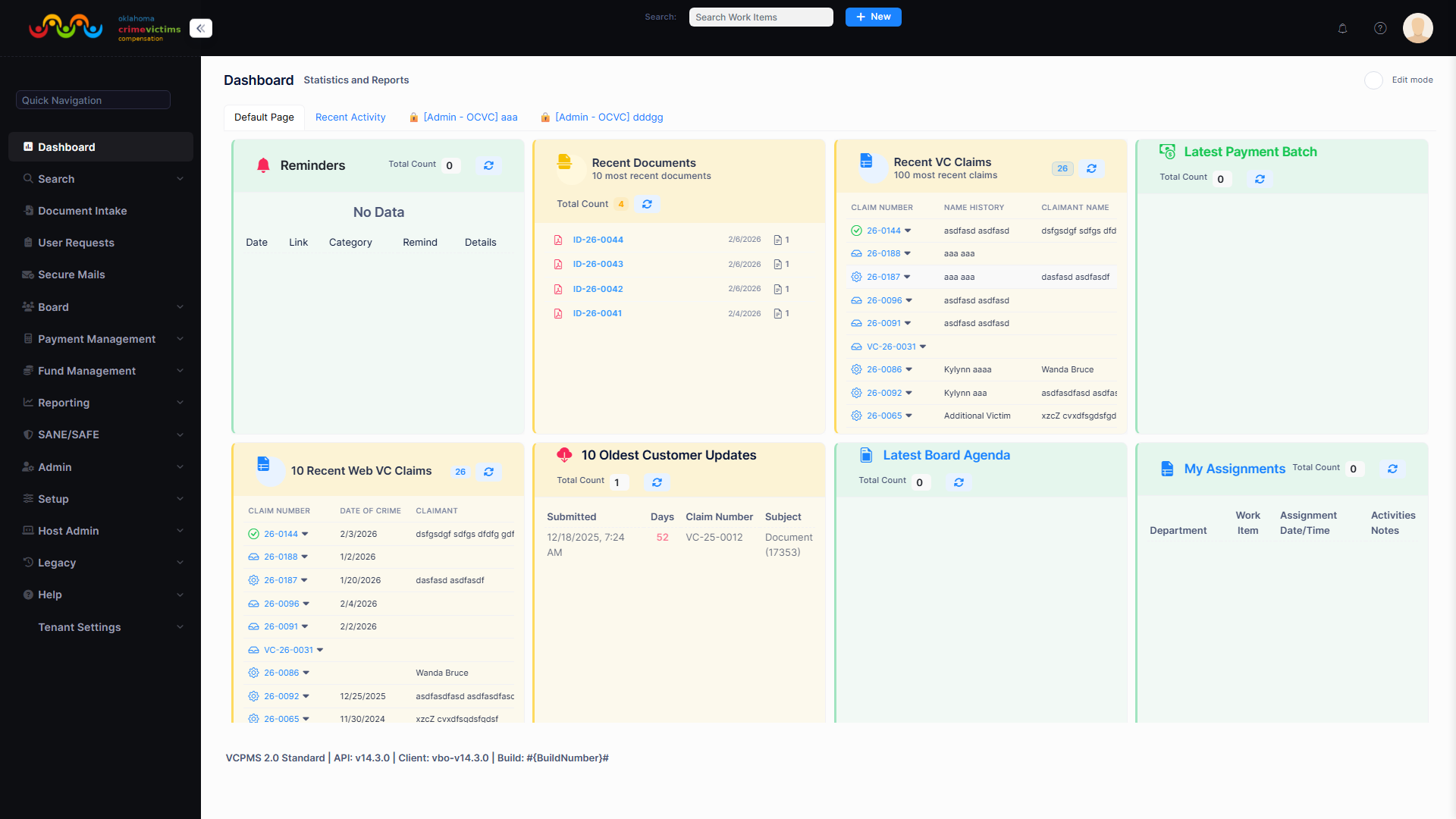
System administration panel with configurable workflow states, eligibility rules, and form settings
11. Training & Support
VCPMS is backed by a comprehensive training program and responsive support services designed to ensure that every user — from front-line Claims Analysts to program Administrators — can confidently and effectively use the system from day one and beyond.
Training Program
On-Site Instructor-Led Training
Hands-on training sessions conducted at each client location using a sandbox environment configured with real data. Trainers walk staff through every feature relevant to their role with practice exercises and Q&A.
Role-Based Curriculum
Customized training tracks for Claims Analysts, Team Leads, Supervisors, Administrators, and Board Members. Each track focuses on the specific features, workflows, and permissions relevant to that role.
Train-the-Trainer Workshops
Super-users receive intensive training enabling them to onboard new staff independently. Includes instructor materials, curriculum guides, and access to the training sandbox environment.
Ongoing Training & Documentation
Annual compliance training webinars, refresher courses on updates and new features, annual user manual (PDF and web), searchable step-by-step instructions with screenshots, and embedded contextual help within every portal.
Support Services
| Channel | Details |
|---|---|
| Web Portal | YouTrack ticketing system for issue tracking and resolution |
| Email-to-ticket auto-conversion for tracked issue management | |
| Phone | Dedicated support line — Monday-Friday, 7 AM - 7 PM (customer timezone) |
| After-Hours | 24/7 phone escalation for P1 (system down) critical issues |
| Optional 24/7/365 | Full around-the-clock support available at additional cost |
Service Level Agreements
| Priority | Definition | Response SLA | Resolution SLA |
|---|---|---|---|
| P1 | System down / critical impact | 1 hour | 4 hours |
| P2 | Major functionality impaired | 2 hours | 8 hours |
| P3 | Minor issue / feature request | 4 hours | 5 business days |
| P4 | Documentation / general question | 8 hours | Next scheduled release |
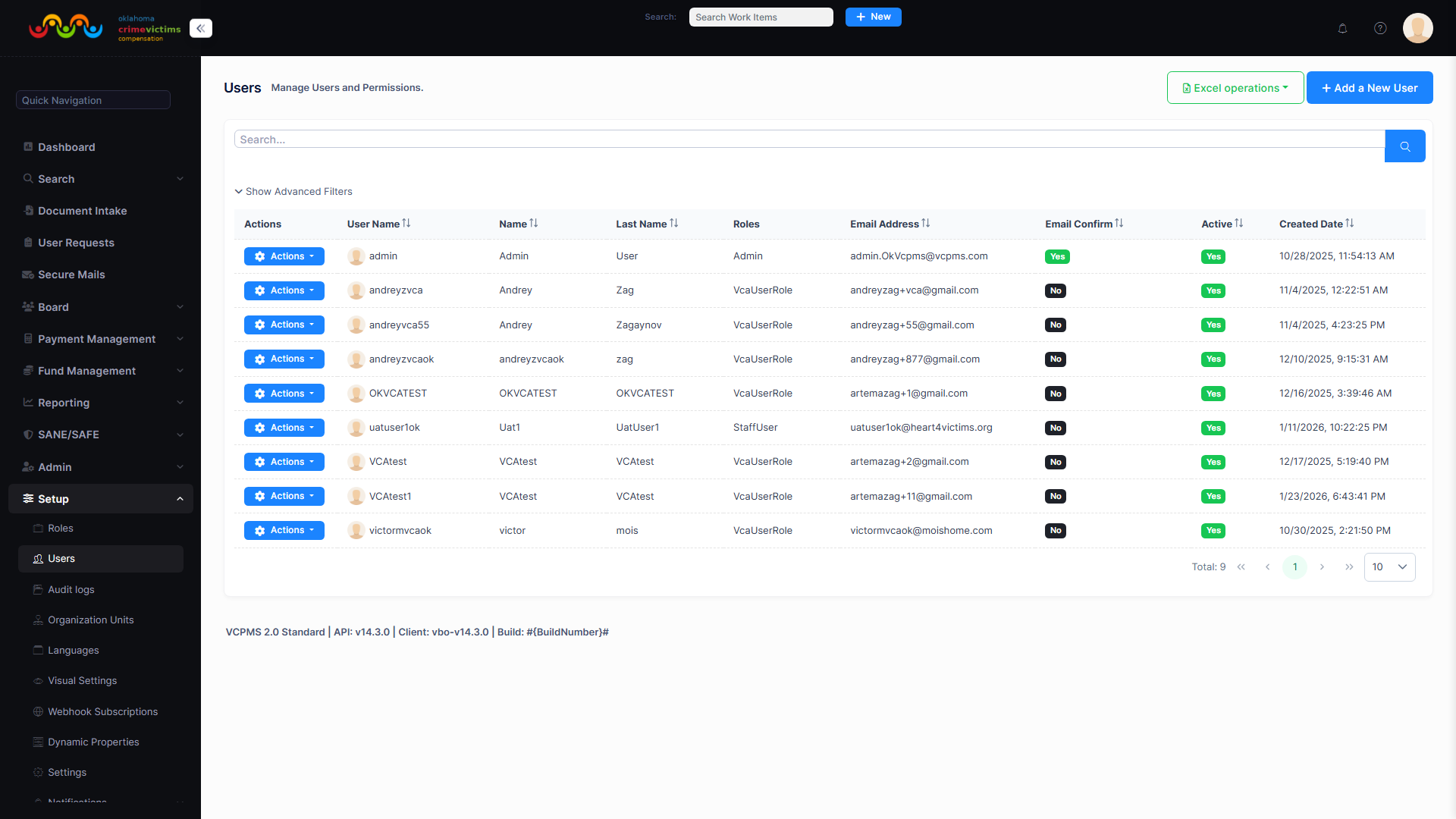
User management portal with user accounts, roles, and administration options
12. Licensing Model
VCPMS uses a site-based subscription model that eliminates per-user licensing fees and provides predictable, all-inclusive pricing. This approach ensures that programs can onboard as many users as needed without worrying about incremental costs, making it ideal for victim compensation programs that serve a broad ecosystem of staff, victims, advocates, providers, and law enforcement.
Licensing Highlights
Site-Based Subscription
One flat monthly fee per site covers everything: software, hosting, maintenance, support, security, and all upgrades. No per-user, per-transaction, or per-claim fees.
Unlimited Users
No limit on user accounts. Add as many staff, victims, advocates, providers, and law enforcement users as needed at no additional cost. Scale your program without scaling your budget.
Continuous Upgrades
All software updates, security patches, and new features are included in the subscription. Your system never falls behind — quarterly releases deliver continuous platform improvements.
Data Ownership
All data remains the property of the client state or jurisdiction. Complete data portability with documented export procedures ensures you are never locked in.
What Is Included
- All software updates, security patches, and new feature releases
- Cloud hosting on Microsoft Azure with dedicated servers per customer
- Technical support and maintenance within defined SLAs
- Data backup and disaster recovery
- Up to 5 specialized data reports/audits per year
- All travel expenses for on-site training (included)
- Continuous platform improvements over the contract term
Key Advantages
| Advantage | Description |
|---|---|
| No Upfront Capital Investment | Systems delivered through subscription model — no large capital outlay during development |
| Predictable Multi-Year Budgeting | Flat monthly fees enable accurate budget forecasting for 3-5 year contract terms |
| No Per-User Fees | Unlimited user accounts at no additional cost — onboard the entire ecosystem |
| Source Code Escrow | Source code held in escrow for client protection and business continuity |
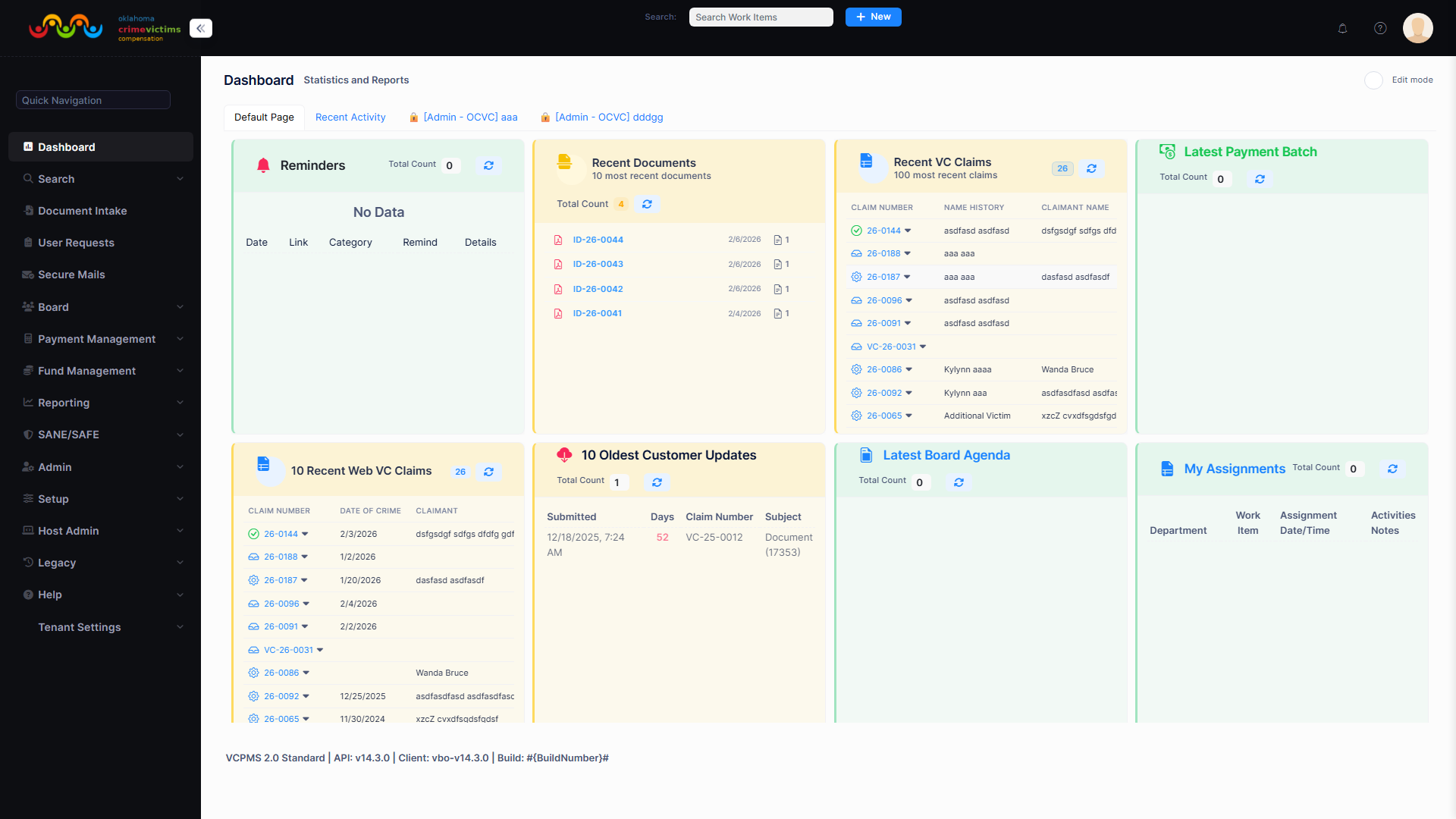
Source funds management demonstrating financial oversight and fund tracking capabilities
13. Deployment History
VCPMS has a proven track record of successful implementations across multiple state programs, with all projects delivered on time and within budget. The platform currently serves active deployments and has several implementations in progress, demonstrating consistent demand and expanding reach.
Active Deployments
Oklahoma
Partnership since October 2018, initially funded by a $1.8 million federal OVC grant. Oklahoma's online portal now handles approximately 60% of all new applications, accelerating processing times and reducing incomplete submissions. Currently implementing VCPMS 2.0 with full VCPOffice, VCPOnline, VCPAdvocate, SANE module, and Emergency Application Portal.
Maine (CAMS)
Delivered the Claims Administration Management System (CAMS) on time and within budget. Includes back-office claims processing, online compensation application, and communication/document functions for victims, processors, advocates, law enforcement, and service providers. Over 2 years of successful operation with improved satisfaction across all user groups.
Oklahoma Implementation Details
| Milestone | Details |
|---|---|
| Partnership Start | October 2018 |
| Federal Grant | $1.8 million from Office for Victims of Crime (OVC) |
| Initial Delivery (2019) | Online compensation application and Virtual Postal Box (vPostalBox) |
| Hosting Agreement | 5-year hosting and support via OMES (October 2020 - September 2025) |
| Next Phase (2025) | New 5-year subscription: full VCPMS (VCPOffice, VCPOnline, VCPAdvocate), SANE module, Emergency Application Portal |
| Current Status (2026) | VCPMS 2.0 Standard implementation in progress; API v15.2.0 |
| Legacy Replacement | Replacing 35-year-old Microsoft Access database |
In-Progress & Proposed Implementations
| State | Status | Details |
|---|---|---|
| South Carolina | In Progress | Implementation underway |
| Alaska | In Progress | 36-month implementation plan (OVC grant-funded); data migration from 1986-2025 |
| Indiana | Proposed | ICJI Victim Compensation Claim System — 4 portals, 12-month implementation |
| Colorado | Proposed | CVCCMS for 23 Judicial Districts; replacing Open CaseWare |
| Nevada | Proposed | Victims of Crime program modernization |
Measurable Impact
Faster Claims Processing
Online portal reduces processing time by approximately 10 days on average — a 22-33% speed improvement. Built-in validation prevents incomplete applications, reducing back-and-forth communication delays.
Increased Online Engagement
Oklahoma achieved approximately 60% of new applications submitted via the online portal within the first year of deployment, demonstrating rapid user adoption of the victim-facing interface.
Improved Staff Efficiency
Oklahoma reported streamlined claims processes, reduced administrative overhead, and approximately 20% reduction in labor per claim. One-click federal report generation replaced days of manual spreadsheet compilation.
Higher User Satisfaction
Maine reported improved overall satisfaction for staff, advocates, and victims. 24/7 online access eliminated the need for office visits during business hours, improving the victim experience.
VCPMS dashboard overview representing the platform serving multiple state deployments
Why Choose VCPMS
VCPMS is the only victim compensation management platform purpose-built by former victim compensation program professionals, combining deep domain expertise with modern technology to deliver measurable results for state programs and the victims they serve.
Purpose-Built for Victim Compensation
Not a generic case management tool adapted for compensation. Every feature, workflow, and interface is designed specifically for the unique needs of state victim compensation programs by professionals with 100+ combined years of domain expertise.
Proven Track Record
Successful deployments in Oklahoma and Maine; Alaska deployment in progress. All projects delivered on time and within budget. All federal grant deliverables met within grant periods. Multiple positive references from state agencies.
Comprehensive Multi-Portal Solution
Eight integrated portals serve every stakeholder — from back-office staff to victims, advocates, providers, law enforcement, and emergency responders — all on a single unified database with real-time data consistency.
Unlimited Users, Predictable Cost
Site-based licensing with no per-user fees means you can onboard your entire ecosystem without budgetary concern. Flat monthly subscription includes software, hosting, support, security, and all upgrades.
Deep Configurability Without Code
Workflows, forms, eligibility rules, letter templates, benefit categories, user roles, and jurisdiction-specific settings are all configurable through the admin interface — no developer involvement required.
Enterprise Security & Compliance
HIPAA, FIPS, CJIS, and WCAG 2.1 AA compliant with AES-256 encryption, mandatory MFA, granular RBAC, regular penetration testing, and ISO 27001 certification in progress. Your data is protected at every layer.
Measurable Results
22-33% faster claims processing, 60% online application adoption, 20% reduction in labor per claim, and one-click federal reporting. VCPMS delivers quantifiable improvements that directly impact victims and program efficiency.
Future-Proof Architecture
Modern technology stack (.NET, Angular, Azure SQL) with quarterly releases, feature flags for gradual adoption, elastic scalability, and source code escrow. Your investment is protected for years to come.
Single-Vendor Accountability
ASDCom provides everything — software, data migration, hosting, security, training, and support — under a single contract. No finger-pointing between vendors, no coordination headaches, one team committed to your success.