
VCPConnect
Contents
1. What Is VCPConnect?
VCPConnect is the name we give to the VCPMS platform's integration surface — the set of RESTful APIs,
file exchanges, SSO integrations, document-intake watchers, and scheduled exports that connect VCPMS with the
external systems your organization already relies on (state financial systems, document scanners, identity
providers, justice data sources, and more). It is delivered by the same Vcpms.Web.Host application
that serves the five portals, not a separately deployed gateway product.
Rather than requiring you to replace existing infrastructure, VCPConnect's integrations bridge VCPMS into your current technology landscape. Payment data flows to your state accounting system. Scanned documents arrive automatically in the claims queue. Staff sign in with their existing credentials. All without manual re-entry or duplication of effort.
Financial Systems
Export payment batches to PeopleSoft, SCEIS, or any state accounting platform. Import confirmations automatically.
Document Scanning
Automatic import from network scanners into the Incoming Document Queue — no manual upload required.
Single Sign-On
SAML and OAuth integration with ADFS, Azure AD, and state identity providers for seamless staff access.
Notifications
Email (SMTP/SendGrid), SMS (Twilio), and in-portal messaging keep every stakeholder informed in real time.
E-Signatures
DocuSign integration for legally binding electronic signatures on applications and correspondence.
Webhooks
Subscribe external systems to VCPMS events — claim status changes, payment approvals, document uploads, and more.
Screenshot: VCPConnect integration architecture overview diagram — Available in production environment
2. Integration Capabilities
VCPConnect provides a suite of built-in integration capabilities that are ready to configure for your environment. Each capability is designed to work with the systems already in place at your organization.
2.1 State Financial Systems (SCEIS, PeopleSoft, and Others)
VCPMS is designed to integrate with whichever financial or accounting platform your state uses. Payment data is exported in the format your system expects, and confirmation data flows back to keep VCPMS records current.
| Capability | Description |
|---|---|
| Payment Batch Export | Generate Excel or CSV payment files with payee details, amounts, and claim references for import into state accounting systems. |
| Check Print Files | Export check print data to your treasury or print vendor in the required format. |
| NACHA / ACH Export (roadmap) | Native NACHA/ACH file generation for direct-deposit is on the product roadmap and is not shipped today. Current programs either generate paper checks in VCPMS or upload the CSV/Excel batch export into a state financial system that itself performs the ACH disbursement. |
| Confirmation Import | Import check numbers, payment dates, and disbursement details from your financial system back into VCPMS. |
| Split Funding | Support multiple funding sources per payment (federal, state, VOCA, other) with configurable batch criteria. |
| Reconciliation | Import cleared-check files from your bank to reconcile payment records automatically. |
Screenshot: Payment batch export configuration screen — Available in production environment
2.2 Bill Review Service Providers
Service providers submit bills for dental, medical, counseling, funeral, prescription, and other services through VCPConnect. Bills are routed through a configurable review and approval workflow with full status tracking.
- Current Procedural Terminology (CPT) code support for accurate medical billing
- Real-time bill status tracking for providers (received, in review, approved, partially approved, denied, paid, returned)
- Multiple approval levels with configurable workflow routing
- Payment cap enforcement per benefit category with automatic deduction from encumbered amounts
- Provider-specific payment and correspondence addresses
Screenshot: Bill review workflow with status tracking — Available in production environment
2.3 Document Scanning Systems
VCPConnect includes an automated document watcher that monitors network locations for newly scanned files. Documents are imported directly into the VCPMS Incoming Document Queue without any manual intervention.
Scan
Staff scans documents at the office scanner, which saves files to a designated network folder.
Detect
The VCPMS Watcher process automatically detects new files in the monitored location.
Import
Documents are imported into the Incoming Document Queue with received-date tracking.
Categorize & Assign
Staff review, classify, tag, and assign documents to one or more claims from the intake queue.
Process
Create payment records directly from the document view, or trigger additional workflow actions.
2.4 Identity Providers & Single Sign-On (SSO)
VCPConnect supports integration with your organization's existing identity provider so staff can access VCPMS using the credentials they already have — no separate login required.
| Protocol | Supported Providers |
|---|---|
| SAML 2.0 | Active Directory Federation Services (ADFS), state-specific SAML providers |
| OAuth 2.0 / OpenID Connect | Azure Active Directory, Access Indiana SSO, custom OAuth providers |
- Multi-factor authentication for all user types
- Role-based access control synchronized with identity provider groups
- Session management with configurable timeout controls
- Support for multiple identity providers per deployment
Screenshot: SSO configuration settings in the Admin panel — Available in production environment
2.5 Data Import & Export
VCPMS provides comprehensive data import and export capabilities for migration, reporting, and inter-environment transfers. Over 20 entity types can be exported to Excel, CSV, PDF, and other formats.
| Format | Use Cases |
|---|---|
| Excel (XLSX) | Reports, data exports with formatting, headers, and embedded charts |
| CSV | Payment batches, bank file uploads, bulk data exchange |
| Documents, letters, board packets, official reports | |
| XML | Structured data exchange, payment files, system-to-system transfers |
| JSON | API request/response payloads, webhook event data |
| HTML | Formatted correspondence, reports for web display |
2.6 Webhook Subscriptions
External systems can subscribe to VCPMS events and receive real-time push notifications when important actions occur. This enables event-driven architectures where your systems react to VCPMS activity without polling.
- Subscribe to specific event types (claim status changes, payment events, document uploads)
- Configure callback URLs for webhook delivery
- Built-in authentication for webhook callbacks
- Automatic retry logic for failed deliveries
- Manage subscriptions through the administration interface
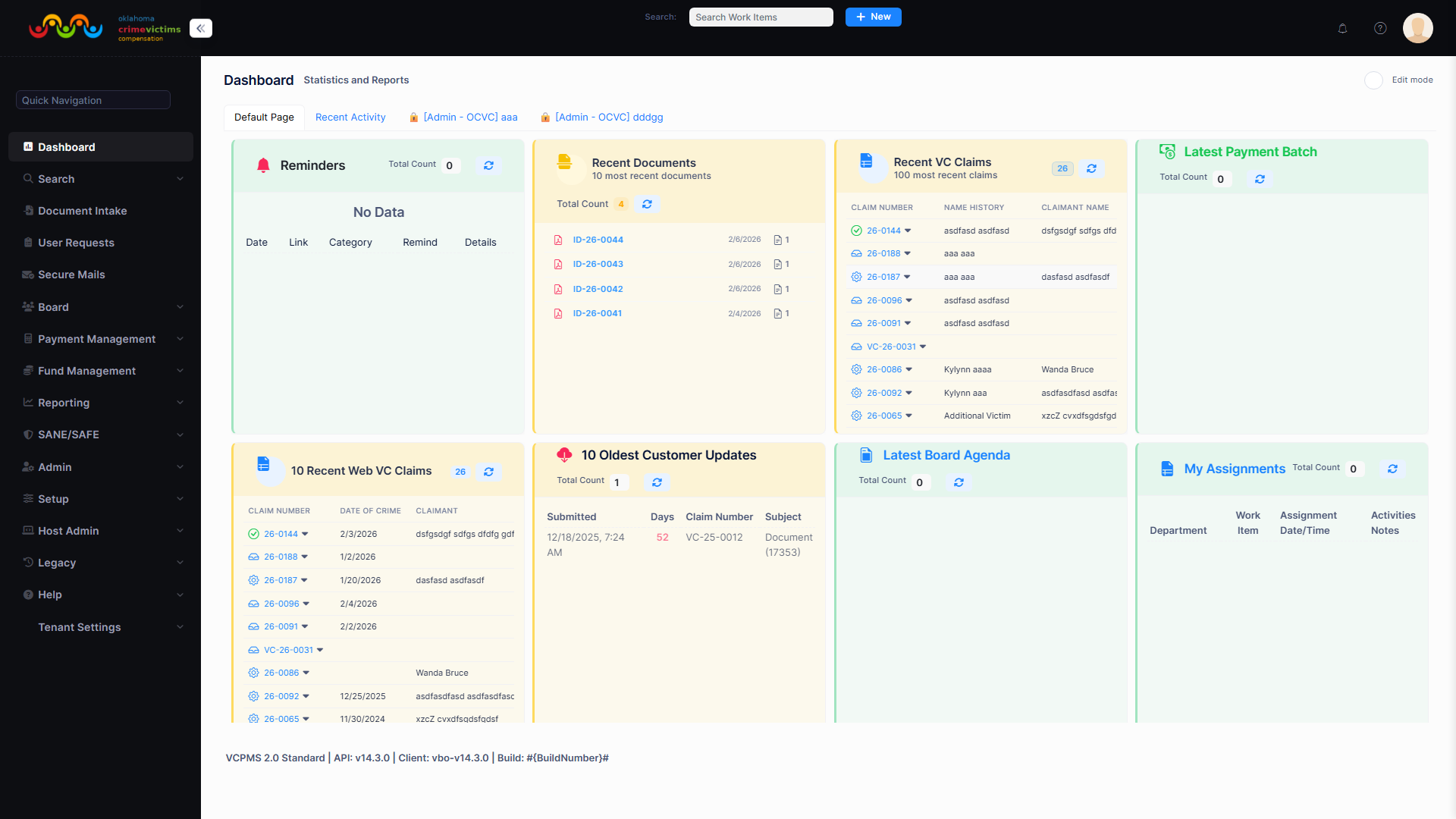
Webhook subscription management interface in VCPOffice administration
3. Proven Integrations
The following systems and services have been successfully integrated with VCPMS across production deployments. Each integration is tested and production-ready.
State Accounting Systems
PeopleSoft and SCEIS integration for payment batch export, confirmation import, and reconciliation.
Azure Active Directory
OAuth 2.0 / OpenID Connect SSO for staff authentication with role synchronization.
ADFS / Access Indiana
SAML 2.0 federated sign-on for state employee access to VCPMS portals.
DocuSign
Electronic signature capture on applications and correspondence with full audit trail.
SendGrid / SMTP
Template-based email delivery with bounce handling, delivery confirmation, and batch capabilities.
Twilio SMS
Text alerts for claim status changes, new communications, and required actions.
4. Real-World Use Cases
4.1 State Financial System Payment Processing
When a payment batch is approved in VCPMS, the financial system integration ensures funds are disbursed through your existing treasury processes without manual re-entry.
Confirmation data (check numbers, payment dates, disbursement details) flows back into VCPMS automatically, keeping claim and payment records current without staff intervention.
4.2 Hospital & Medical Billing
Hospitals and medical providers submit bills through VCPConnect with CPT codes for services rendered to crime victims. Bills enter the configurable review workflow where they are validated, approved, and routed for payment.
- Provider submits bill with CPT codes, service dates, and victim information
- Bill routed to assigned reviewer based on benefit category
- Payment cap enforcement prevents overpayment beyond authorized limits
- Approved amounts deducted from encumbered award balances automatically
- Provider tracks bill status in real time through their portal
Screenshot: Service provider bill submission with CPT code entry — Available in production environment
4.3 Third-Party Bill Review Services
For jurisdictions that use external bill review vendors, VCPConnect supports exchanging bill data with third-party review services. Bills can be exported for external review and the results imported back into the VCPMS workflow.
4.4 Document Management & Scanning
Offices that process large volumes of incoming mail can connect their network scanners directly to VCPMS. The automated Watcher process eliminates the manual step of uploading each document individually.
4.5 Legacy Data Migration
When transitioning from a legacy system, VCPConnect's data migration tools ensure your historical records are preserved with integrity. The migration process is structured, validated, and phased.
Extract
Data extracted from legacy systems (SQL Server, Access databases, spreadsheets) using ETL scripts.
Cleanse & Map
Data cleansed, deduplicated, and mapped to the VCPMS schema with field-level validation.
Sandbox Validation
Incremental loads validated in a sandbox environment with record count verification and spot checks.
Staff Review
Jurisdiction staff review migrated data for accuracy and completeness before cutover.
Final Migration
Full migration with parallel testing. Historical data preserved with original timestamps and audit trails.
5. Tenant Configuration Export & Import
VCPMS supports complete tenant data export and import using the structured SIT (System Integration Transfer) format. This capability is essential for migrating data between environments, creating backups of configuration, and onboarding new tenants from existing setups.
| Capability | Description |
|---|---|
| Full Tenant Export | Export all tenant data including claims, payments, documents, user profiles, and workflow configurations. |
| Structured Import | Import data into a new or existing tenant with data integrity validation at every step. |
| Selective Transfer | Export and import specific entity types (e.g., workflow configurations only) without full tenant migration. |
| Environment Migration | Move tenant data between development, staging, and production environments reliably. |
Screenshot: Tenant export/import administration interface — Available in production environment
6. Data Exchange & Reporting
Exportable Entity Types
Over 20 major entity types in VCPMS can be exported to your preferred format. Standard and custom reports preserve formatting, headers, and embedded charts across all export formats.
Claims & Cases
Victim claims (VC), financial reimbursement claims (FR), expense bills, treatment plans, and income loss records.
Financial Records
Awards, award items, payments, payment items, payment batches, service bills, and fund collections.
Parties & Contacts
Payees, service providers, offenders, source funds, and user profiles.
Documents & Reports
Incoming/outgoing documents, standard reports, data reports, determination dockets, and standard forms.
Federal Reporting
VCPMS includes pre-built templates for federal reporting requirements, formatted for submission to federal systems.
- VOCA Performance Measurement Tool (PMT) — Generate reports in the format required for JustGrants upload
- Crime Victim Compensation State Certification Form — Automated data population with editable fields for review
- Custom Federal Reports — Configurable report templates for jurisdiction-specific federal requirements
Data Exchange Methods
| Method | Type | Best For |
|---|---|---|
| RESTful API | Real-time | Immediate data queries, status checks, individual record operations |
| Batch File Exchange | Scheduled | Payment batches, bank file uploads, bulk data transfers (CSV/XML) |
| Webhooks | Event-driven | Triggering external workflows when claims change state or payments are approved |
| Manual Upload/Download | On-demand | Ad-hoc exports, user-initiated file transfers, one-time imports |
| Automated Watcher | Continuous | Document scanning integration, file system monitoring for automatic import |
Screenshot: Data export format selection and entity type chooser — Available in production environment
7. Security & Authentication
All VCPConnect integrations are secured with industry-standard protocols and comply with federal and state data protection requirements. Security is enforced at every layer — in transit, at rest, and at the API gateway.
API Authentication & Authorization
| Security Layer | Implementation |
|---|---|
| Authentication | JWT Bearer tokens with configurable expiration; OpenIddict integration available |
| Authorization | Role-based access control (RBAC) with granular, per-endpoint permissions |
| Rate Limiting | Configurable throttling and request quotas at the API host (ABP-level middleware); Azure API Management in front of the host is supported as a deployment option when required by a state's infrastructure. |
| IP Filtering | Restrict API access to known IP ranges for sensitive integrations |
| Audit Logging | All API calls logged with request details, user identity, and response status |
Encrypted Data Exchange
In Transit
TLS 1.2+ encryption on all communications. SFTP for file transfers. VPN support for sensitive exchanges.
At Rest
AES-256 encryption for all stored data. Azure Key Vault for secrets management. Transparent Data Encryption on the database.
Key Management
Encryption keys stored in Azure Key Vault with automatic rotation every 6 months. No keys stored in application code.
Compliance Standards
| Standard | Applicability |
|---|---|
| HIPAA | Health information exchange — medical billing, treatment plans, provider data |
| CJIS | Criminal justice data — law enforcement records, offender information |
| FIPS | Federal data standards compliance for government system integration |
| FedRAMP Alignment | Cloud security controls aligned with federal requirements; Azure-hosted within the United States |
TenantId filter applied across every entity, backed by ABP's
enforced multi-tenancy pattern on a shared SQL Server database. Dedicated per-tenant
database or application-server deployments are supported where a state's procurement or
security posture requires physical isolation.
8. Benefits of VCPConnect
Eliminate Manual Data Entry
Automated data exchange between VCPMS and your financial, scanning, and identity systems means staff spend time on claims — not re-keying data.
Use Your Existing Systems
VCPConnect adapts to your infrastructure. Keep your state accounting platform, identity provider, and scanning equipment — VCPMS connects to them.
Real-Time Visibility
Webhooks and API-driven integration keep all connected systems current. Payment confirmations, claim updates, and document arrivals flow in real time.
Secure by Default
Every integration channel is encrypted, authenticated, and audited. HIPAA, CJIS, and FIPS compliance are built into the platform, not bolted on.
Painless Data Migration
Structured ETL tools, phased validation, and parallel testing ensure your historical data arrives intact — with original timestamps and audit trails preserved.
Future-Proof Extensibility
OpenAPI documentation and auto-generated SDKs mean new integrations can be built by any development team using standard tools and protocols.